No more time wasted sifting through countless threads and websites; we've streamlined all course planning considerations into one effective tool.
OVERVIEW
My Role
UX Design
Prototyping
User Research
Timeframe
Sep 2024 - Jun 2025
Team
Natalie Enman
Maya Gillaspy
Stephen Lines (me!)
Michelle Nguyen
Tools
Figma
Miro
Pen & Paper
Problem
Finding the best courses to take is stupidly hard
Over the summer of 2024, I spent some time reflecting on the courses I had taken throughout my past two years at the University of Washington, as well as the courses I had left to take. As I was solidifying my course plan, I realized how many different websites and resources I found myself looking at for advice. While I had accepted this process as the norm for the past two years, it's a bit ridiculous that I was checking 5 or more different websites to decide if I should take a course. I thought to myself:



I brought this problem up to my class group at the start of the school year, and we were all on board to investigate this problem space together over the next 20 weeks in Foundations of Human Centered Design.
Problem Statement
How might we design a solution to support University of Washington underclassmen choose classes that align with their academic goals and reduce scheduling stress?
background research
Friction between course advice and discovery
We analyzed 4 different online resources that UW students used for planning their courses, conducted interviews with 8 students, and surveyed 50 more about their experiences with registering for courses. Our participants included undergraduates aged 18-22 and represented over 25 different majors across engineering, design, humanities, business, and more. Here's what we found.
Course information is unclear and not centralized.
Students found different (and conflicting) information about courses depending on what platform they looked on. Some platforms were outdated, others relied on student speculation, resulting in knowledge gaps from these resources.
Academic advisors knowledge and time is limited.
While advisors were useful for determining what classes students needed to take to graduate, they often weren't aware of the actual specifics behind courses, how they were structured, and what skills were taught.
Students have a wide range of wants and needs when it comes to course schedules.
Some students are looking for easy courses to take to pad their schedules, while others may be looking for classes that teach a specific skill. Current platforms have no way of distinguishing between these cases, making the discovery process difficult.
Other platforms lack organization, moderation, and verification.
Some platforms had no way of verifying student identities, leading to concerns about the accuracy of the information being presented. Platforms like Reddit also lacked structured ways to organize threads related to courses, making it difficult to find information in the first place.
Inequality in the user flow
Our interview revealed evident friction in the process of looking for courses, determining whether said courses are useful or worthwhile, and actually registering for those courses. This was largely due to how current resources were designed and organized.
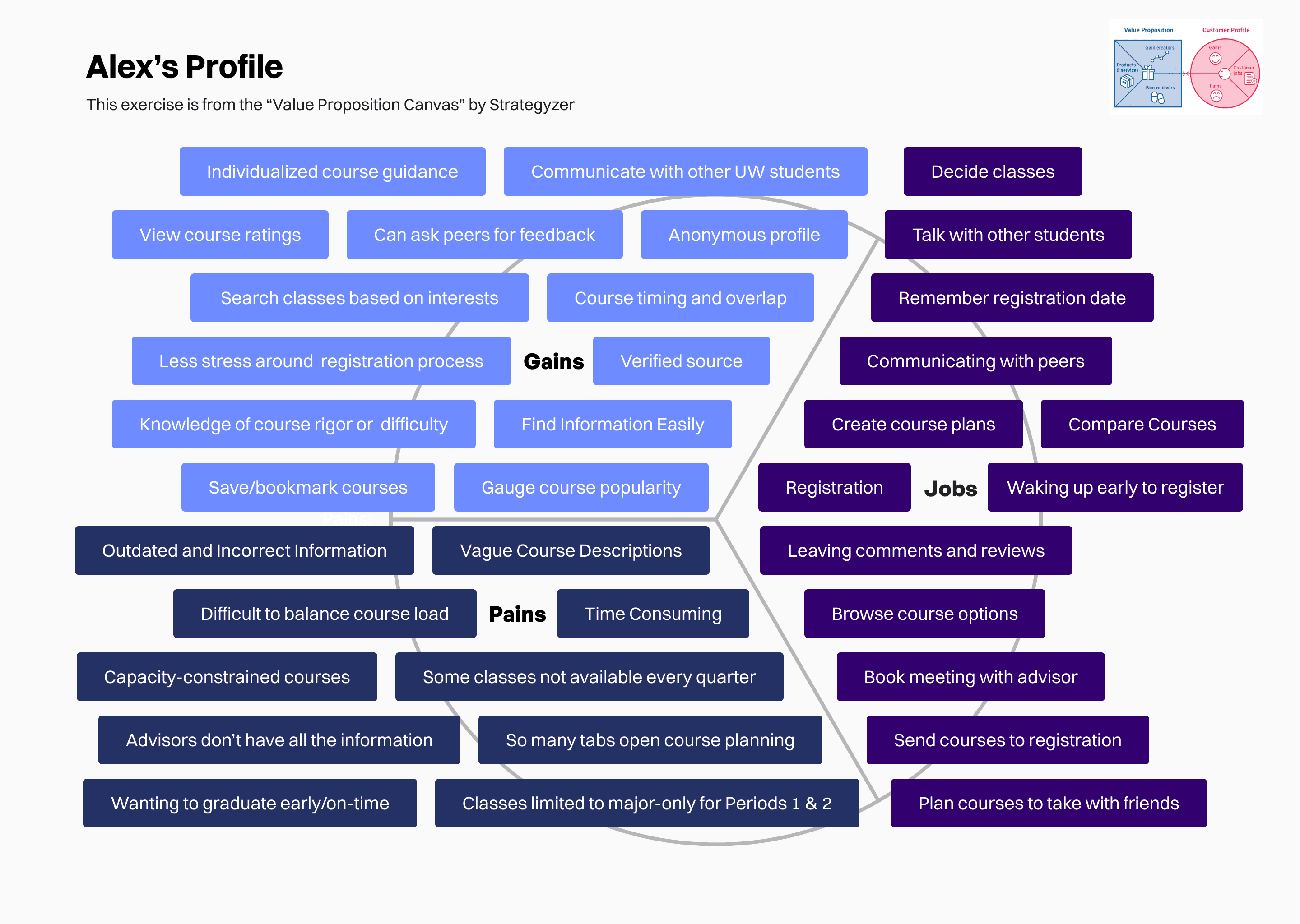
From these findings, we introduced Alex, our persona, to help us align user needs with actionable pain points that we could address in our final solution.
Alex
The Ambitious Planner
Age
20
Education
Sophomore
Major
Pre-Sciences
“I like to [plan my schedule] generally within like, one or two months out once the section times are finalized.”
Personality
Organized
Friendly
Proactive
Sociable
Scenario
During course registration, Alex aims to fulfill major application requirements with a balanced course load but struggles with the complexity of finding accurate information and matching classes to degree requirements, making the process time-consuming.
Goals
Fulfill application requirements for majors
Maintain a balanced course load
Minimize time spent researching courses.
Needs
Accurate course details, schedules, and reviews
Clear guidance on major-specific requirements and versatile class options
Streamlined planning and decision-making process
Pain Points
Overwhelmed by disorganized course information spread across multiple platforms
Frustrated by the lack of cohesive resources for course planning
Stressed about securing a desired major as a pre-major student
Design requirements
After synthesizing our findings, we laid out the design requirements for our solution, which helped us stay on track as we moved into the ideation/prototyping phase.
Review specific UW courses to create more transparency for prospective students
Synthesize data from multiple different course planning resources for students
Reduce time UW students spend exploring and planning courses.
Highlight highly-rated/popular courses that students should take depending on their needs
Mentor other UW students on course/schedule planning for their own major
Provide up-to-date course information to students
Key Opporunity
How can we create a platform that fills in the gaps left by academic advisors and and University of Washington resources to optimize the undergraduate course planning experience?
ideation
Exploring potential features to promote student collaboration
In our early ideation, we heavily focused on social functionality of our product, in line with our findings that students want candid feedback from fellow students. We also thought about the kind of data that students cared about when, which tied back to our survey results.
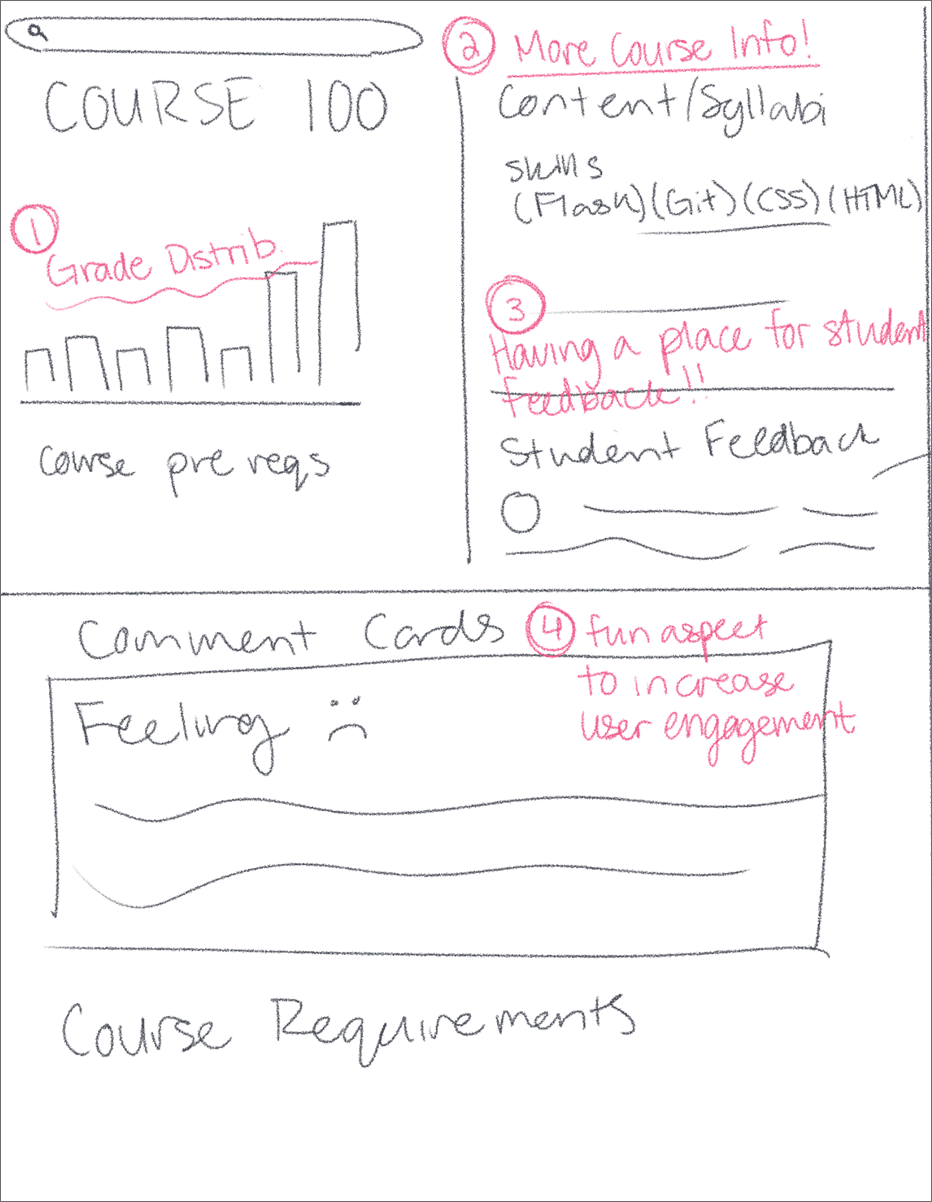
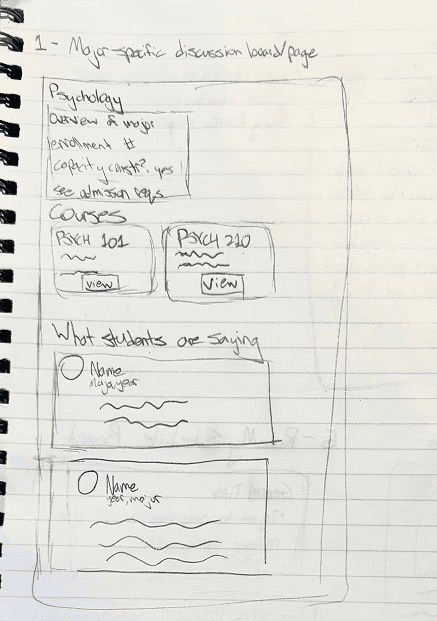
Overview pages for different courses and majors, allowing students to share tips, tricks, and insights to succeed. Students can review courses as well as ask questions in a comment section.
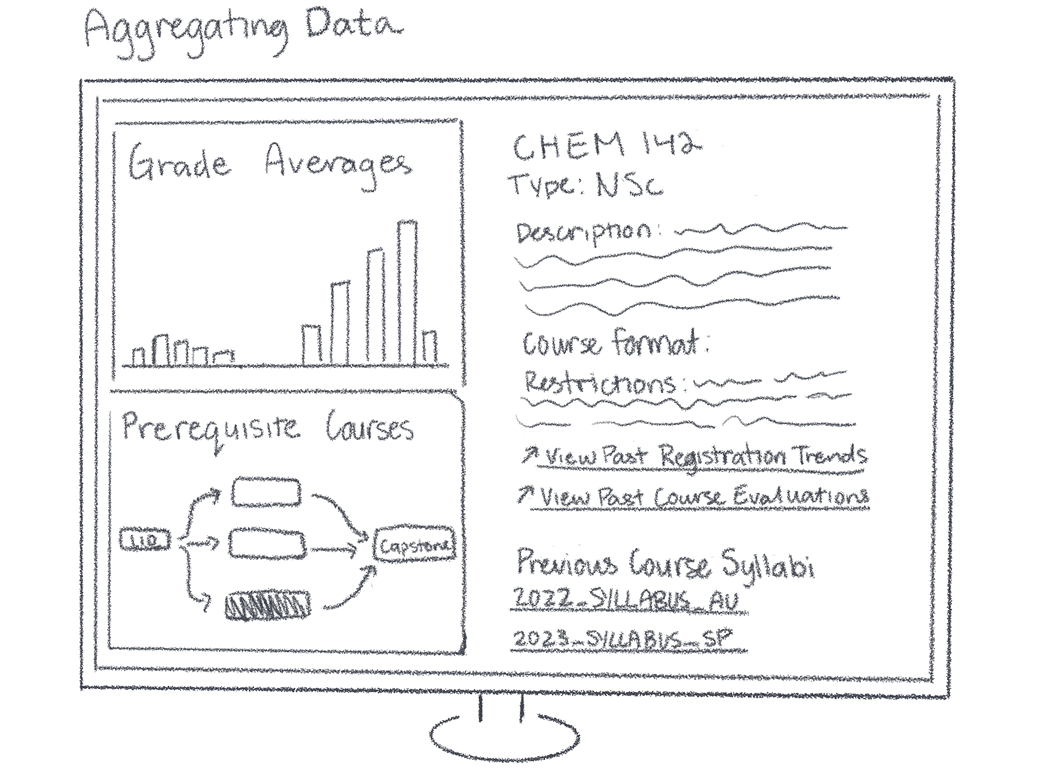
Data aggregation for different courses. Displays relevant information about grading, restrictions, pre-requisites, and course timings to save students time digging through 3+ different UW resources.
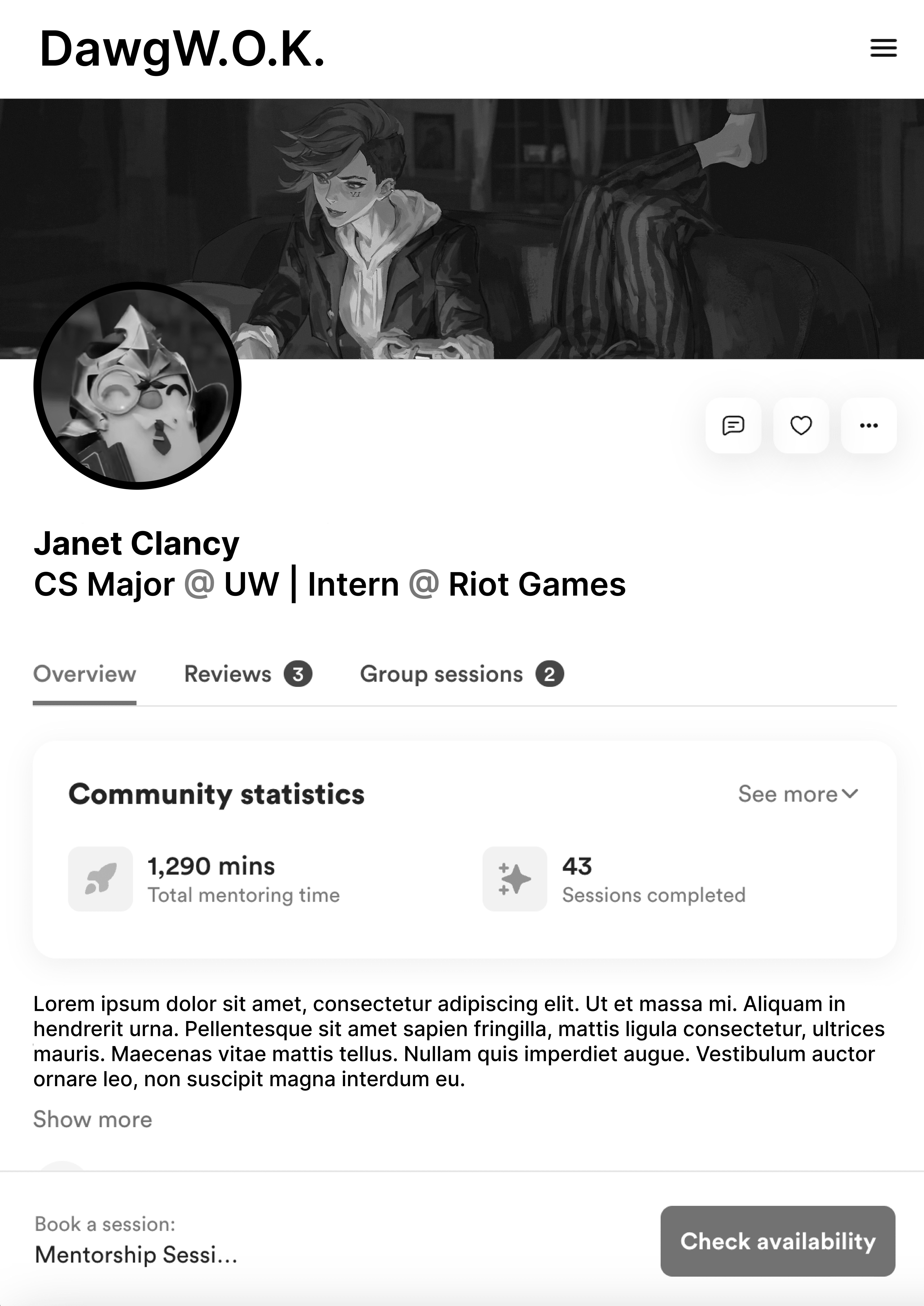
Mentorship from students already admitted into their major. Students could book times with these mentors to get advice on courses their taking, clubs to join, or career paths from students who have been in their shoes before.
Early sketches for our ideas, brainstorming ways to display data and student input.
While we were very excited with all of these features, the timeline for this project was very short. As such, we prioritized implementing the course overview aspect of our solution first. Another piece of feedback we received from industry professionals was to incorporate some kind of AI model that students could interact with to help with schedule planning. This lead to the creation of the WOK, an AI summarizer that helps students make smarter course decisions.
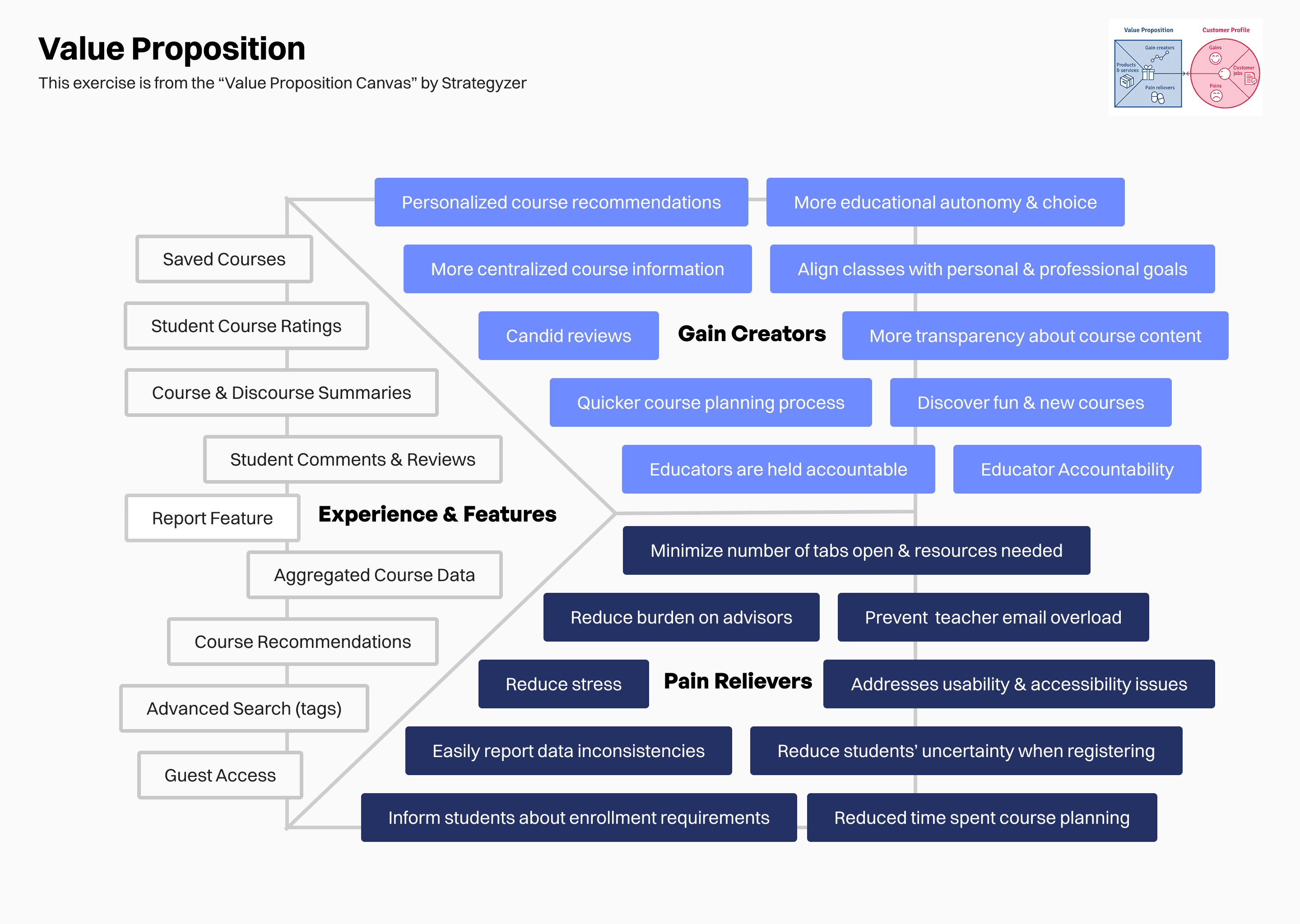
As we continued to build out our ideas, we referred back to our Value Proposition Canvas, mapping the Gains, Pains, and Jobs identified earlier to tangible outcomes our product could produce.
feedback and iterations
Refining our strengths and scope for course insights
We began gathering user feedback via concept testing on our low-fidelity prototype. Through this, we identified small changes regarding accessibility and usability as well as larger conceptual challenges that shaped our final designs.
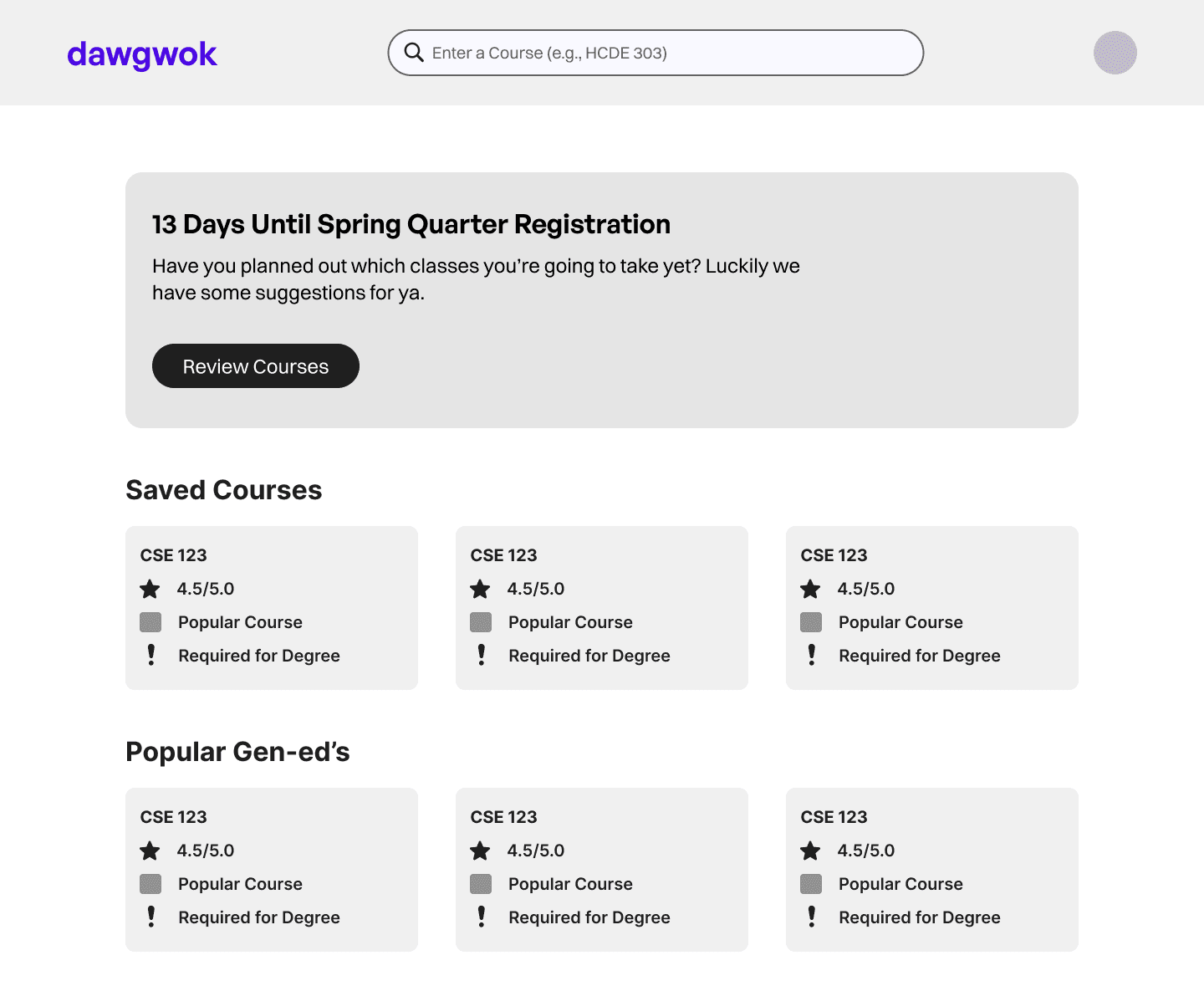
Home page
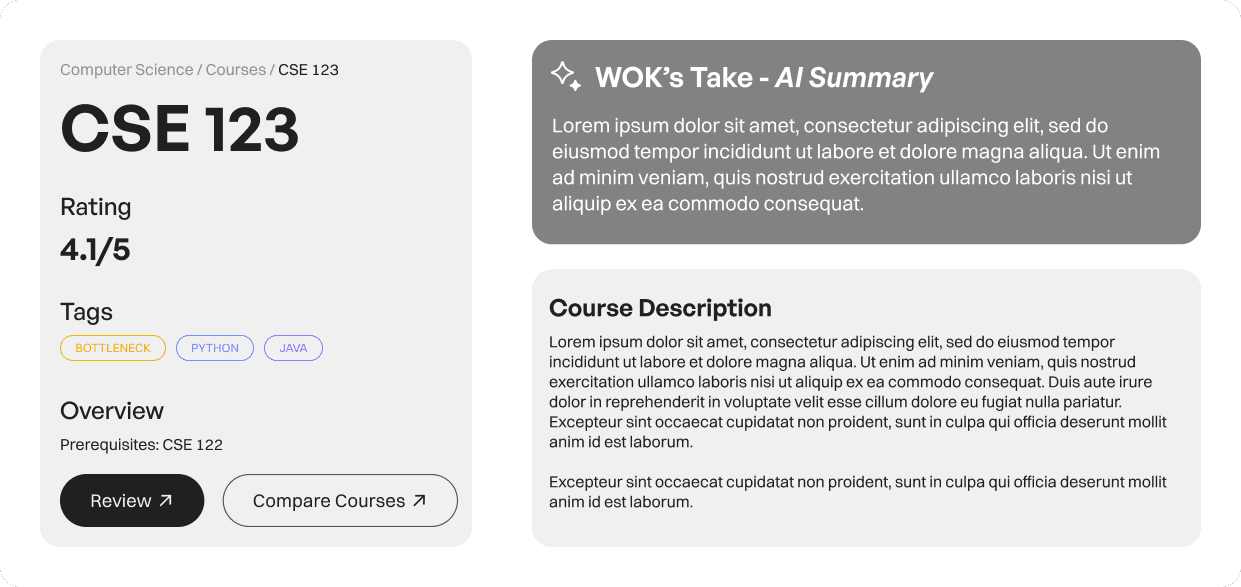
Course Overview page
Personalization
Students wanted content tailored to their majors and goals. We added filters, tags, and difficulty ratings to reflect this.
Privacy and content moderation
Another concern students expressed was the use of UW NetID (student identification) on our platform. Concerns around moderation and visibility led us to add anonymous posting options and transparent moderation policies.
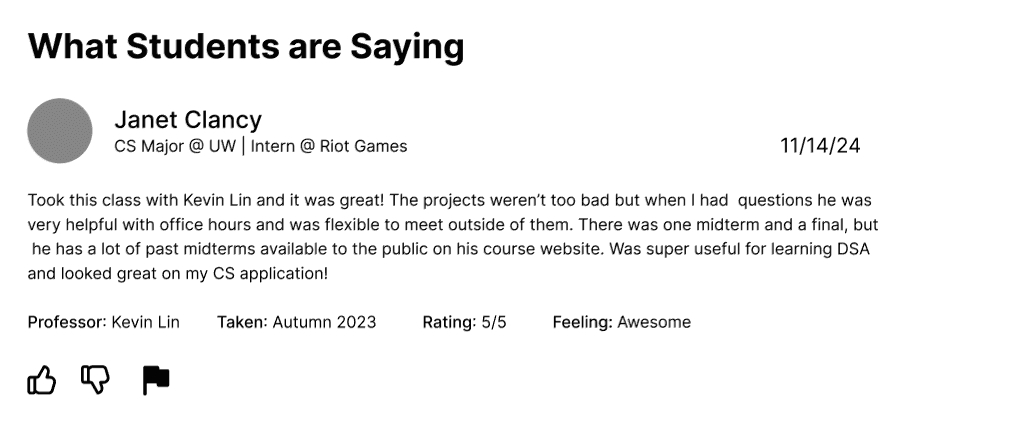
Example comment, where students name and identifying information is viewable.
Clarifying key features
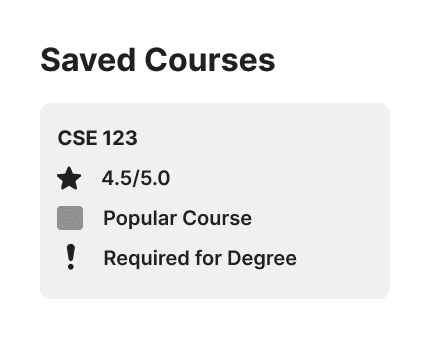
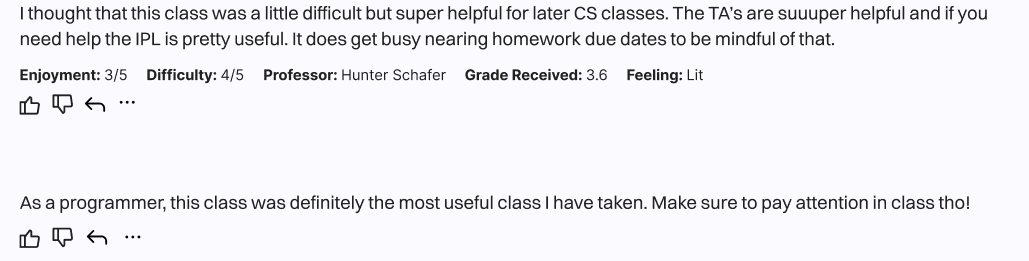
Users struggled to differentiate comments from reviews and misunderstood “Saved Courses.” We redesigned icons, labels, and added tooltips for clarity. Alongside this, we made integrations with MyPlan (UW's registration tool) more accessible.
Comment section displaying a review (top), and a regular comment (bottom). Hard to tell the difference, right?
Usability testing and improvements
Mid-fidelity testing emphasized the need for stronger filtering and simpler wording, leading to our final streamlined structure.
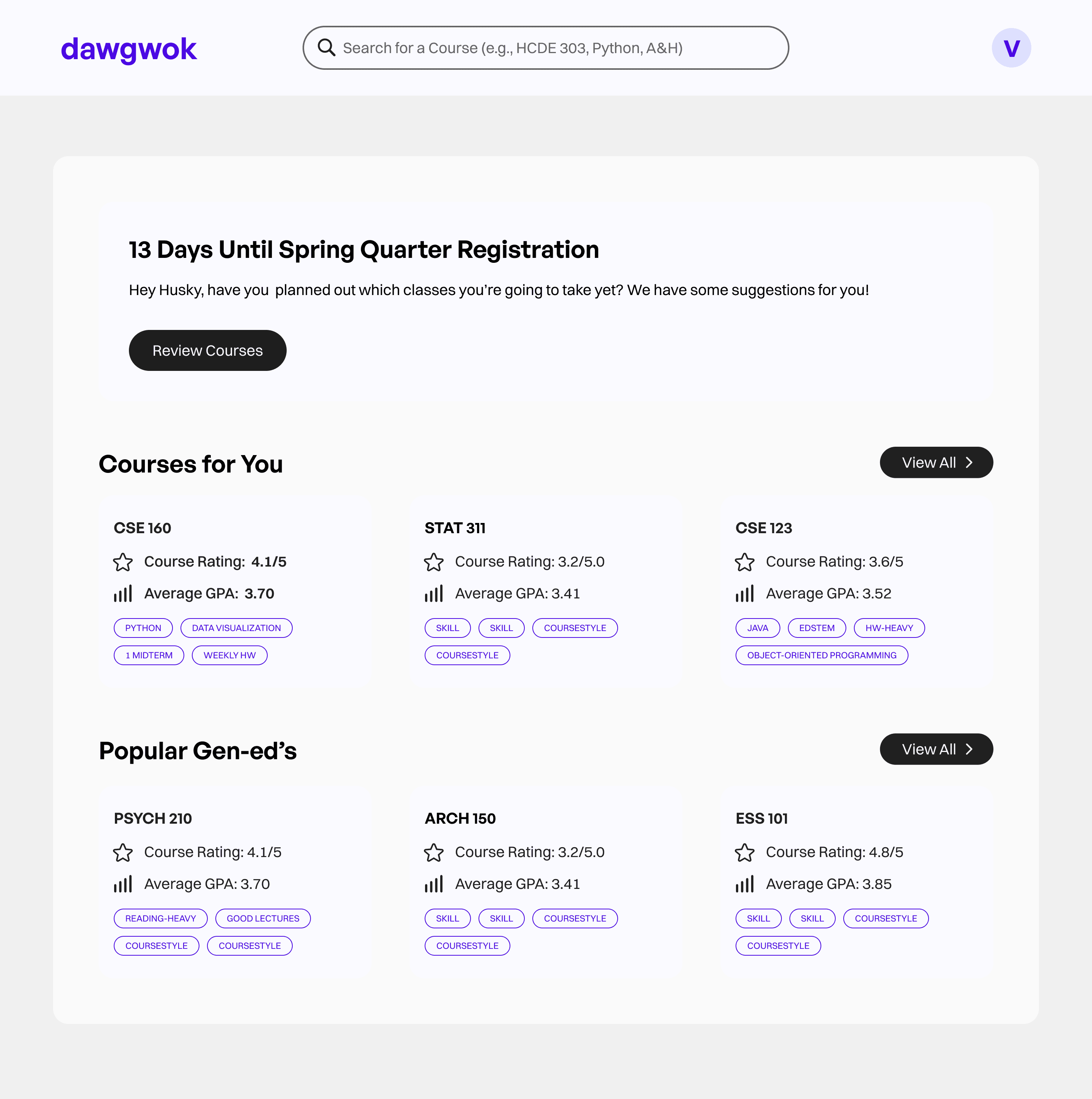
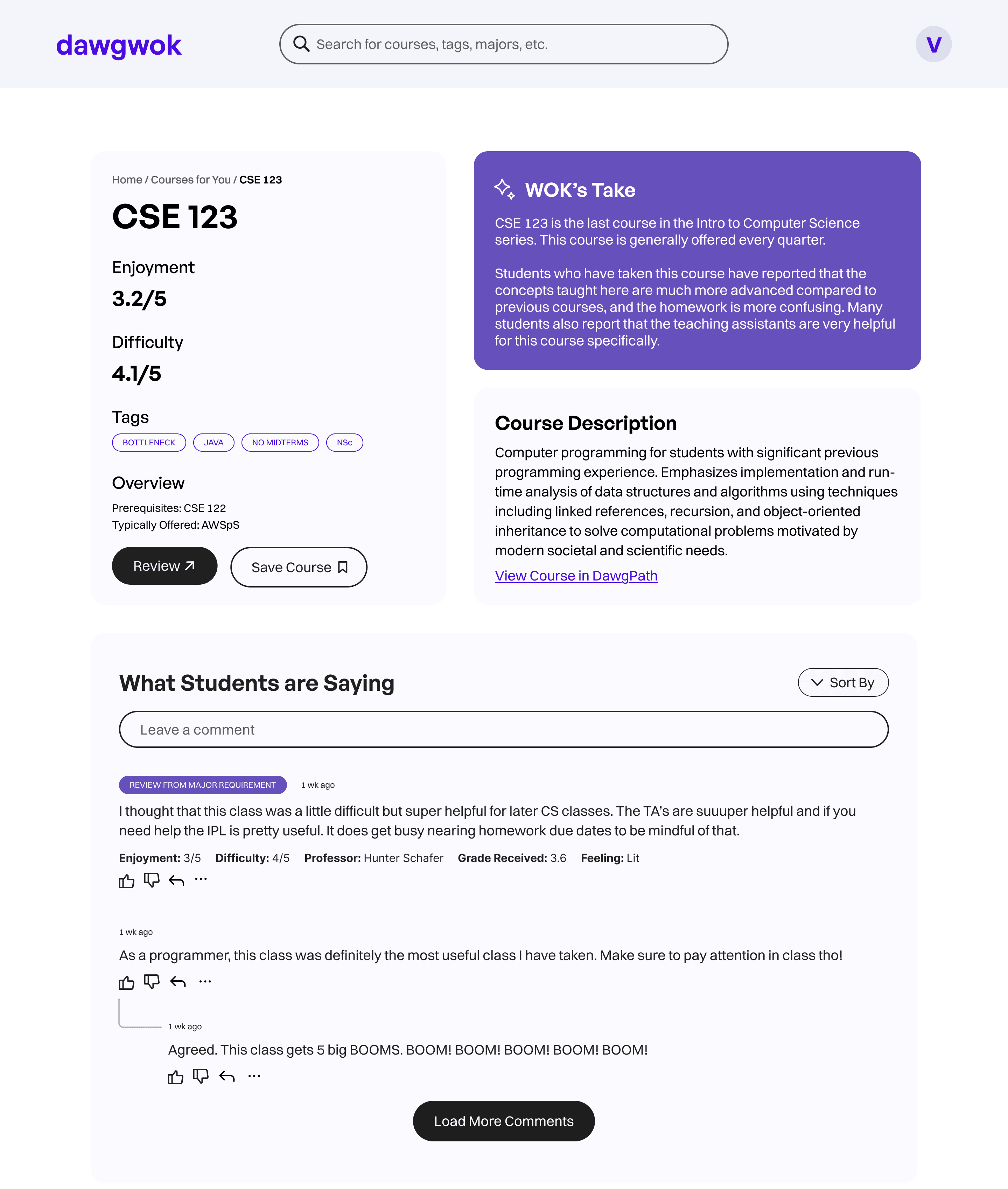
Mid-fidelity Home and Course Overview Pages
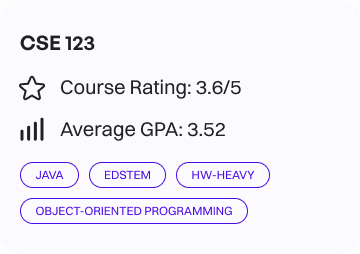
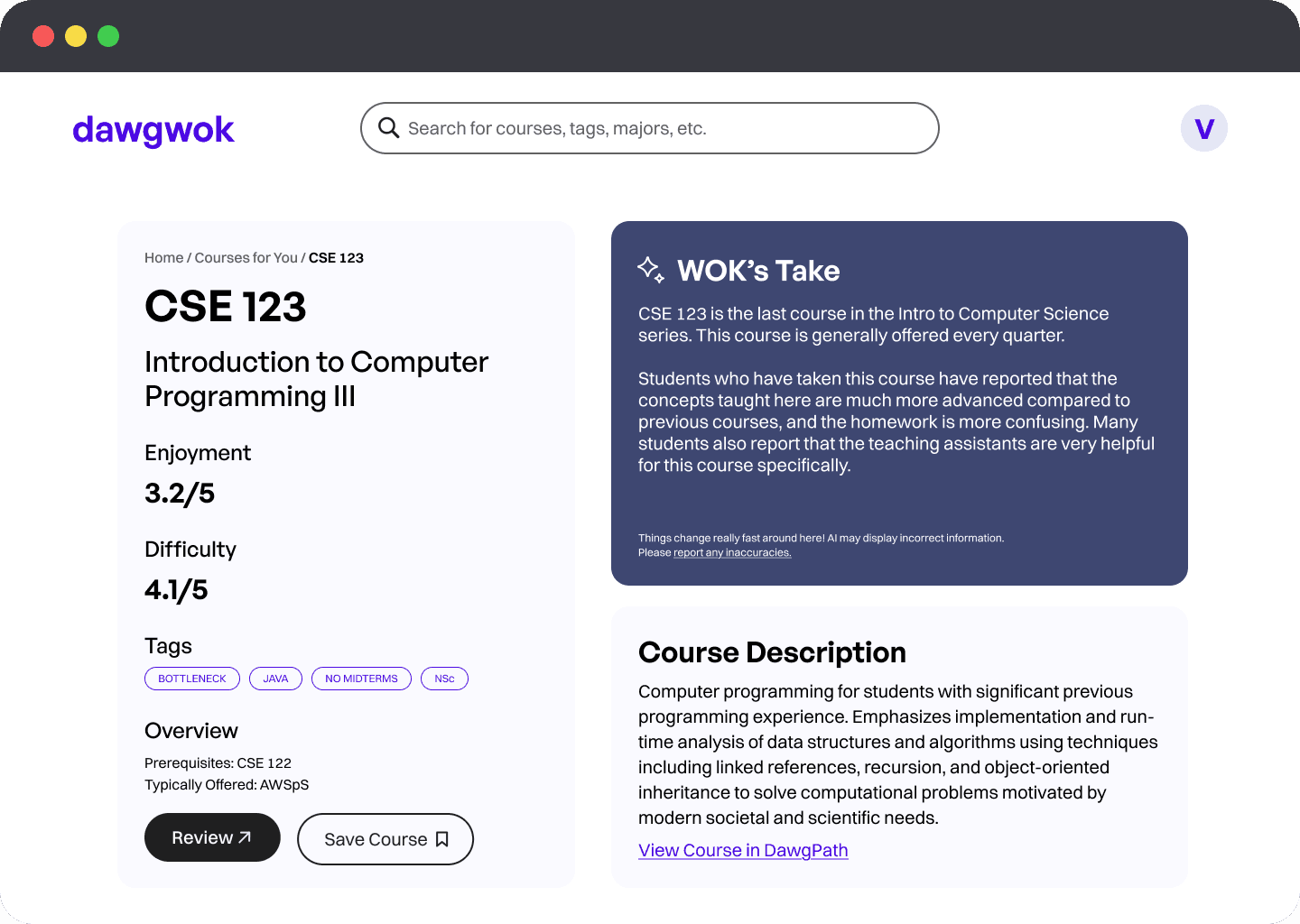
Revamped Course Card, featuring more relevant information such as academic rigor (GPA) and tags related to the course
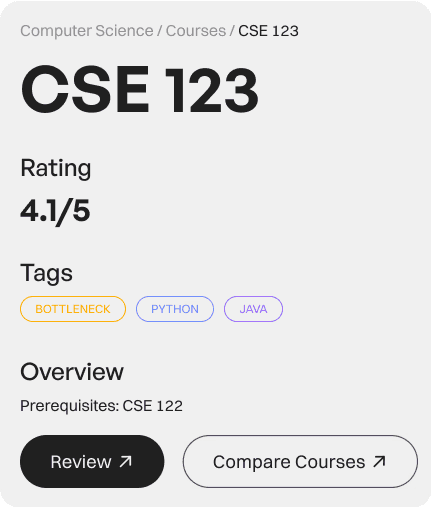
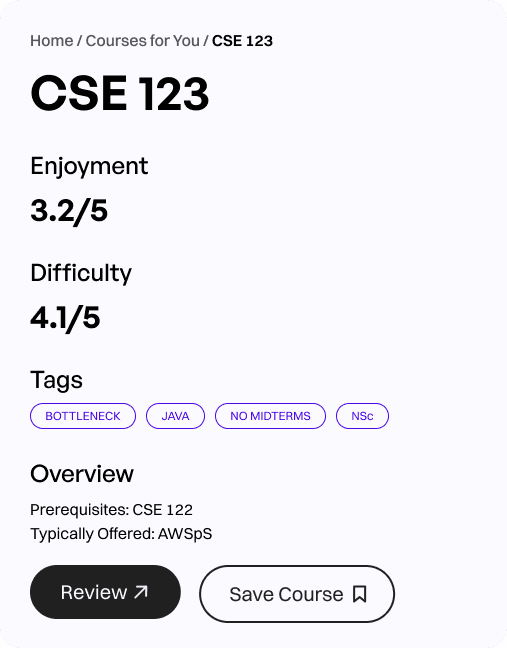
Revamped Course Overview.
Final solution
Introducing Dawgwok
After 20 weeks of research, prototyping, testing, and iterations, we had the opportunity to showcase Dawgwok to our classmates and industry guests! We got a lot of great feedback regarding accessibility (inputs and breadcrumbs) and information architecture (how we organized comments) that we were eager to implement post-presentation.
1
Courses For You
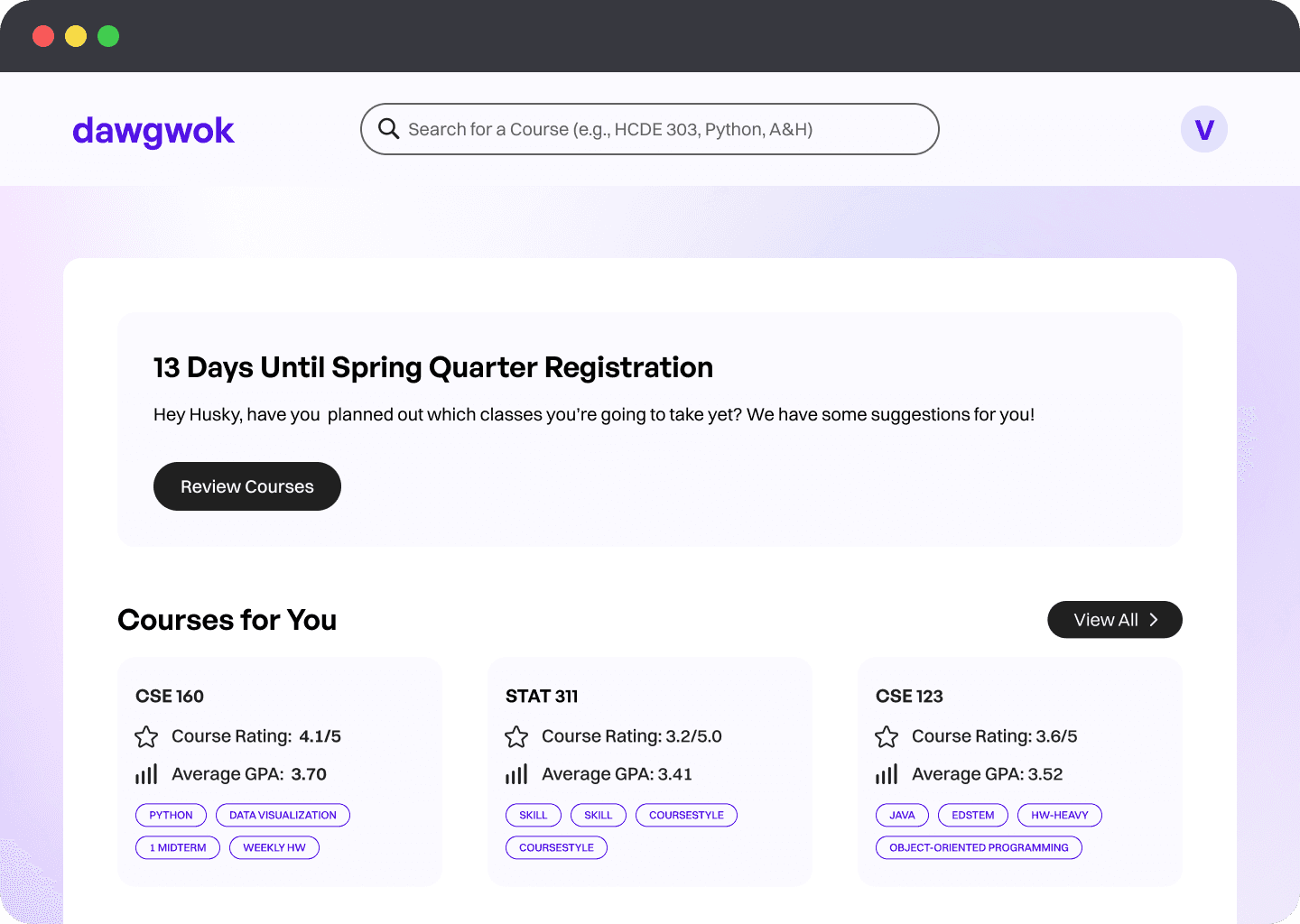
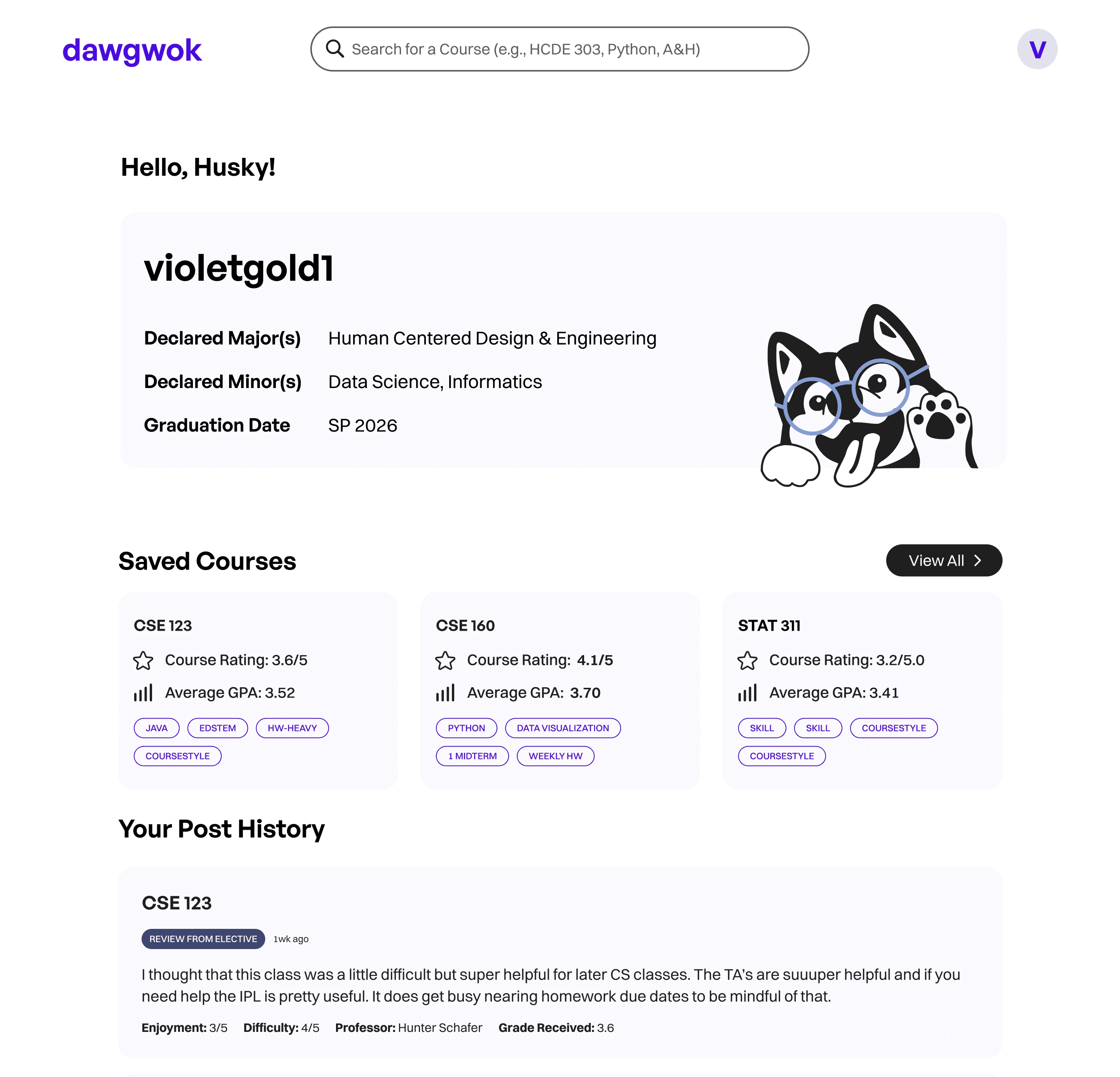
Our home page features a "Courses for You" selection at the top of the page. Recommendations are based on major and/or field of interest, in line with our findings from testing sessions.
The profile page also helps students keep track of their saved courses and post history for easy access and tracking.
2
Filter by Tags
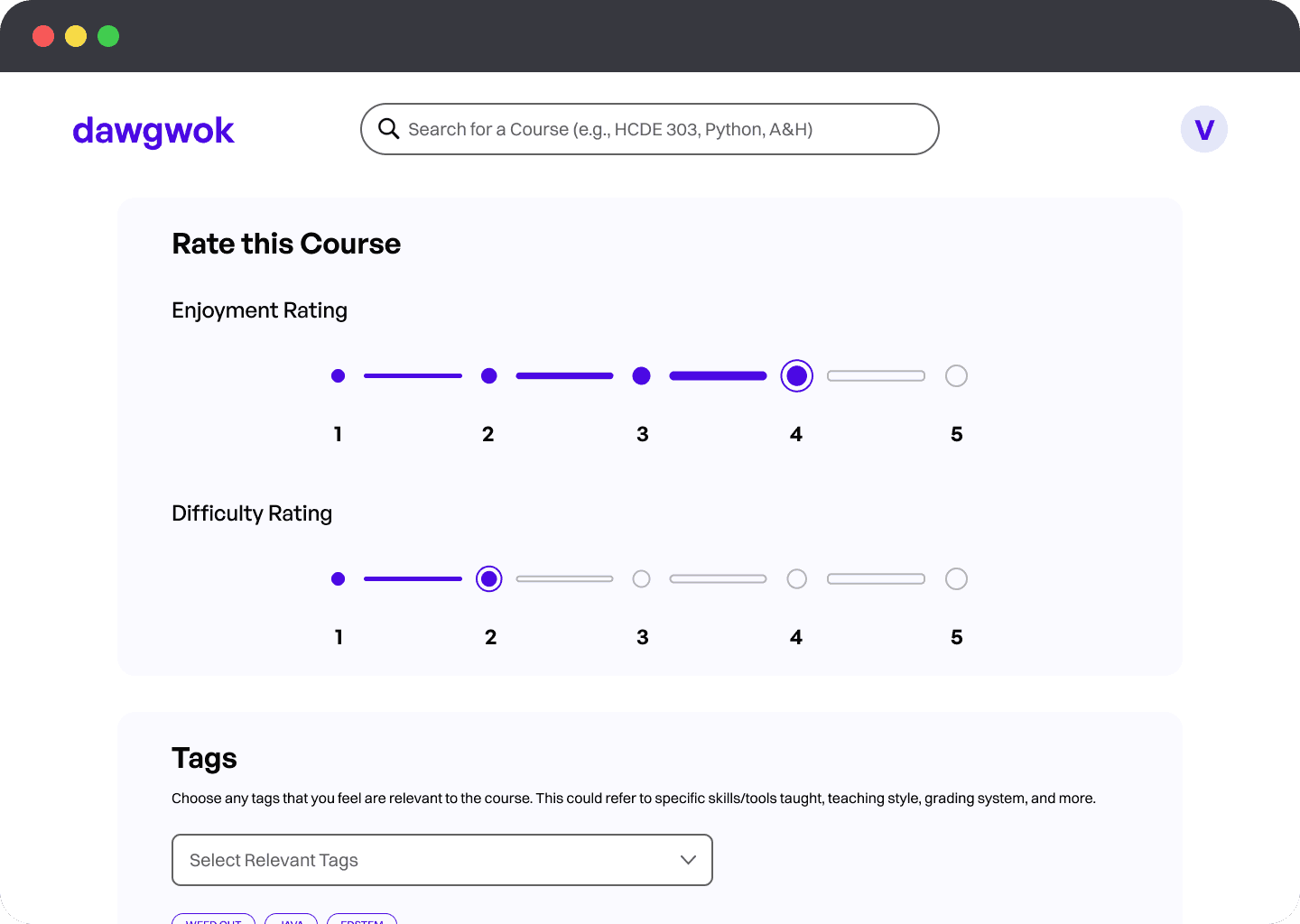
Students can add relevant tags to courses to help tailor recommendations. Tags can relate to grading style, skills learned, software used, and more!
Tags can also be interacted with to filter searches, adding another layer of personalization to our platform.
3
Reviews and Comments
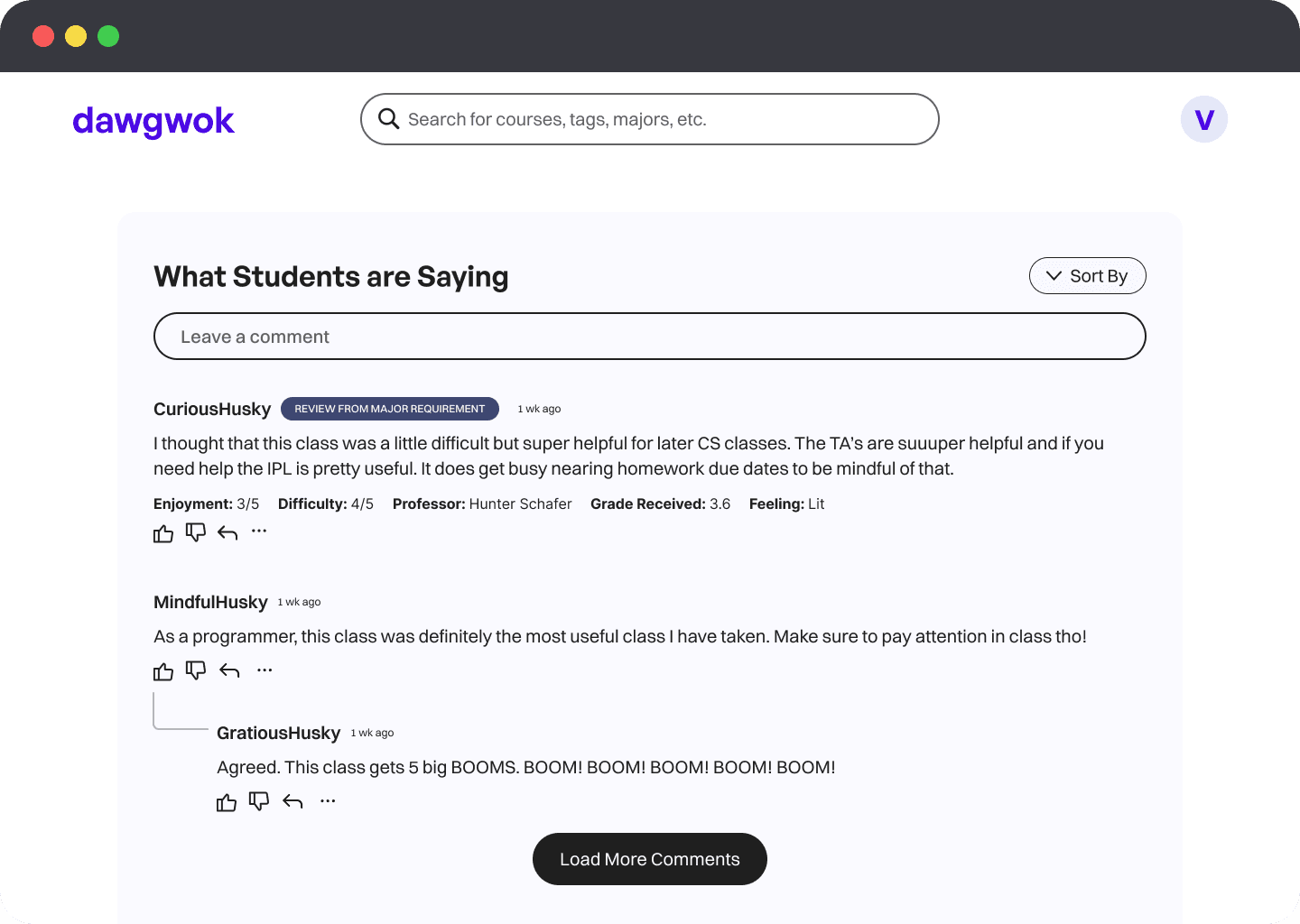
Refining how comments and reviews worked on our platform was a huge challenge for us, and we're still investigating how to improve clarity here as we move beyond the classroom!
We integrated a header that indicates a review, as well as the students relationship from the course (taken from the review).
Many students found this to be intuitive in our usability testing, though we are still fine-tuning the presentation of this.
⬇

Any user can add anonymous comments with randomized usernames, regardless of whether or not they are signed into the platform. This ensures that prospective students who may have questions can also access this resource.
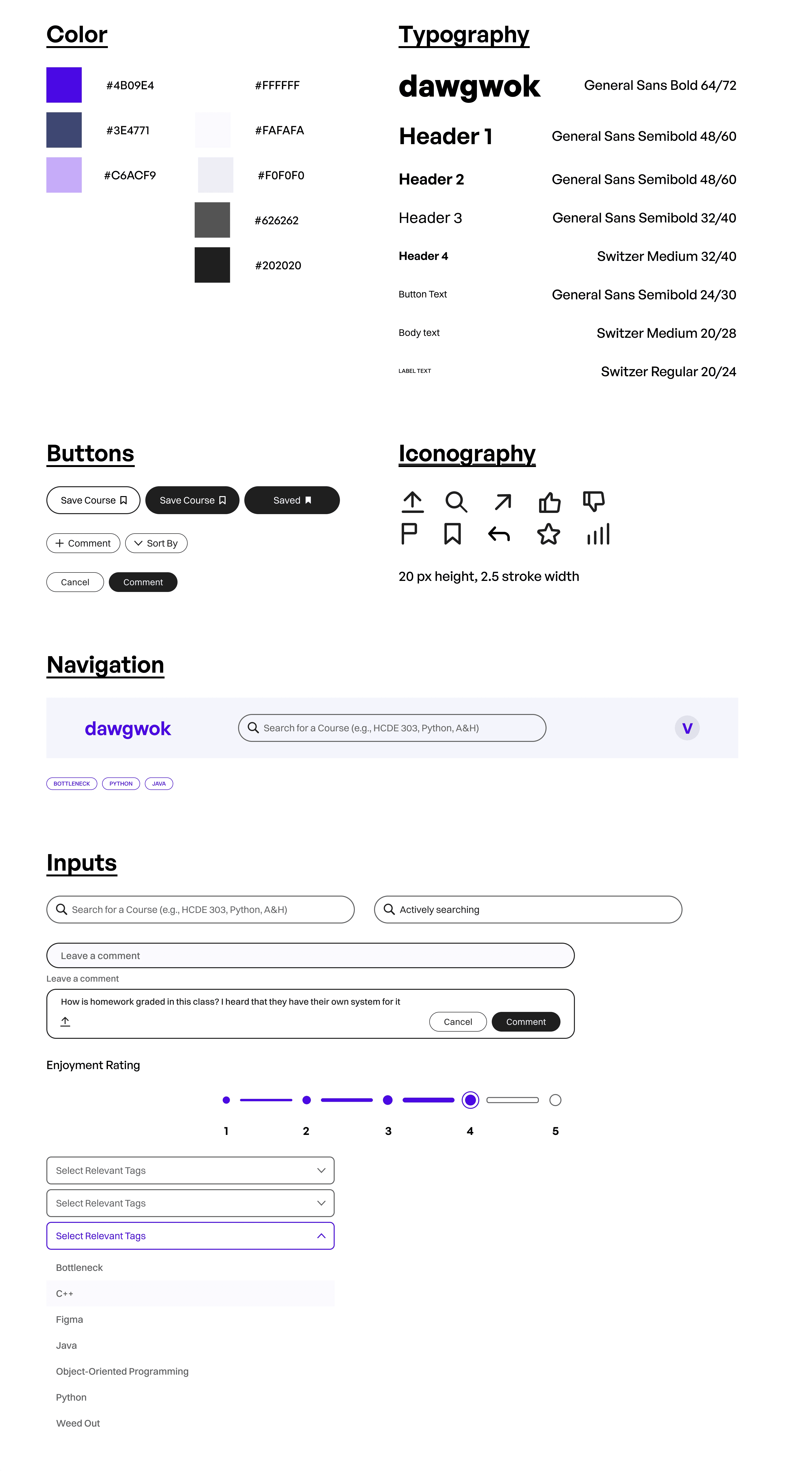
Full prototype
Reflection
Going from idea to prototype in twenty weeks
It was awesome to see Dawgwok go from a loose idea to cohesive solution over the past six months. Getting involved in each part of the user-centered design process exposed me to new methods and frameworks that I know will be useful as I go out and work on more products in the future. I think our team's passion for this problem space really shined as we worked together to develop our UI.
Looking back at the structure of the class, I wish our group started designing a little earlier; near the end we definitely felt more rushed as we were finalizing our designs, so beginning to prototype earlier and get user feedback sooner would have been huge for us.
Our biggest challenge was definitely figuring out how to display all the information that students found useful when planning courses. We didn't want to overload users by having a cluttered interface, so we did our best to organize data in a way that made sense to students while not overwhelming them.
What's next?
Going forward, our group is looking to iron out more details in our high-fidelity prototype, and potentially collaborate with other developers, researchers, and designers to help bring Dawgwok to life for UW students. Stay tuned!