OVERVIEW
My Role
UX Design
Prototyping
User Research
Branding
Team
UX Designer (me)
Lead Designer
Engineers
Chief Scientist
Timeframe
Dec 2023 - Jun 2024
Tools
Figma
Wix
Pen & Paper
My impact
Refining and redesigning Traffigram's UI
I encourage everyone to read to read the whole case study for more context behind this product, but for those in a rush, here are some highlights from my time working on this.
Redesigned mobile UI and conducted usability testing, reducing user frustration by 60%.
Conducted HCI research on how users interpret different icon and visualization methods on maps, informing the design direction of our product.
Click below to navigate to see my process redesigning Traffigram's mobile UI, or keep reading to understand why and how the product works!
BACKGROUND
Visualizing spatial accessibility at a glance
Traffigram (now Viata, as of September 2024) is a pre-seed data visualization startup that changes how people look at maps and travel time. By distorting maps based around travel time instead of travel distance, the algorithm allows users to make split-second travel decisions when considering multiple destinations at once. Born from a PhD research project, the team consists of a dedicated group of researchers, designers, and computer scientists.
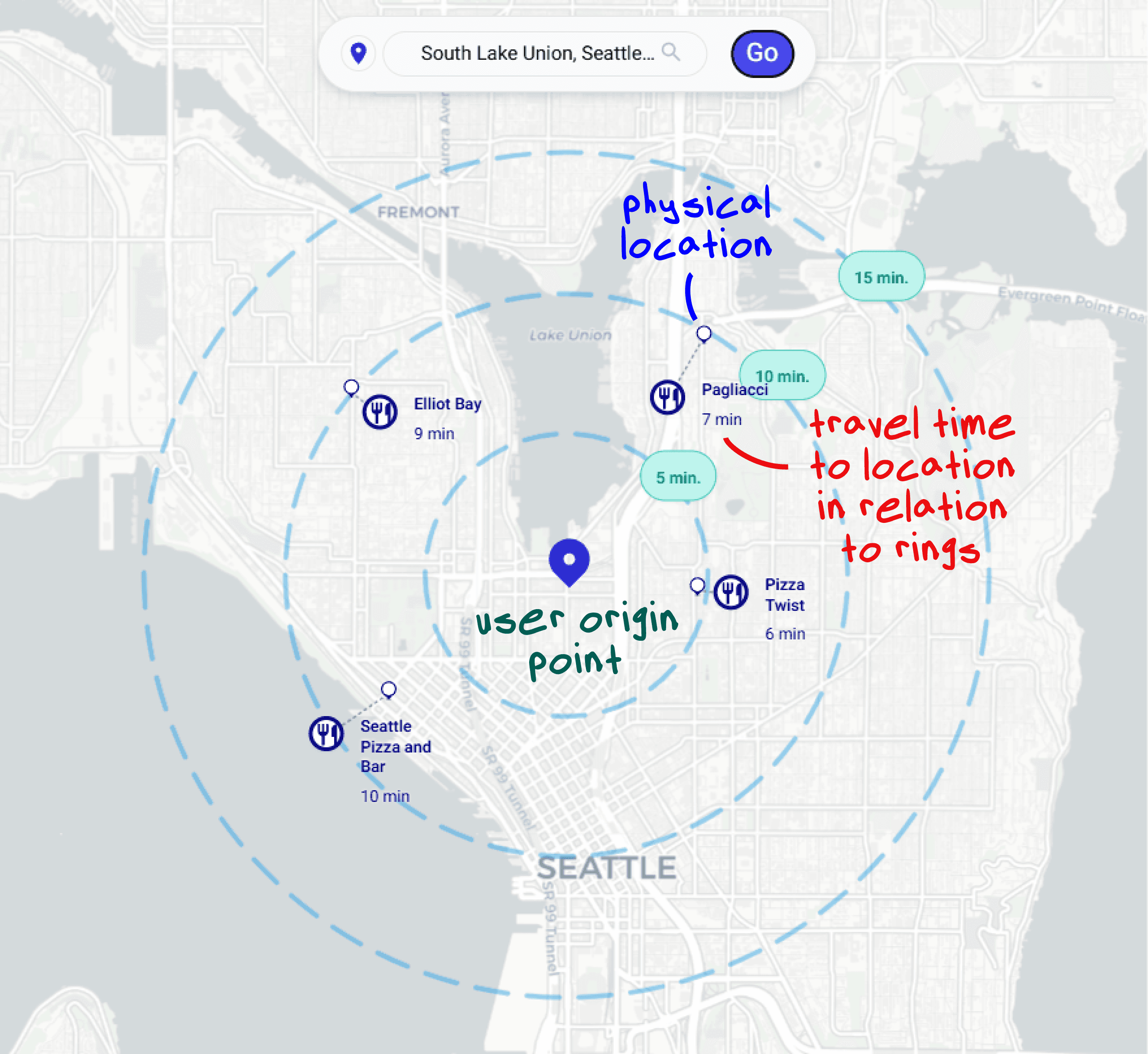
Research-backed improvements to digital routing
The rings surrounding the origin point (isochrones) allow users to quickly interpolate travel time to their desired location. The patented research on this technology has found that users can make travel decisions over 2x faster and with 40% less frustration when compared to normal maps, without sacrificing accuracy.

OVERARCHING PROBLEM
Embracing the unknown on a novel algorithm
Since Traffigram is novel, there was a lot of ambiguity when trying to commercialize. Traffigram was in a unique position in the market in the sense that there were no direct competitors with our product. Of course, there are many other routing and mapping applications out there, but none of have anything comparable to the warping algorithm or isochrone generation that we had.
Competitive analysis




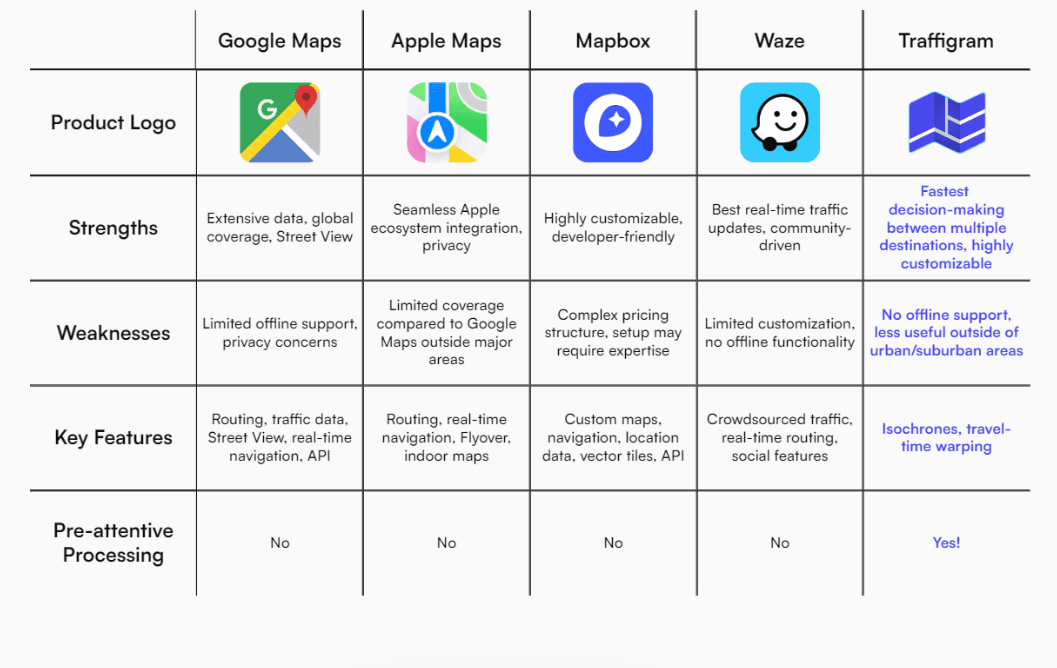
Based on our competitive analysis and market exploration,
Traffigram excels in dense, highly populated areas, where travel time and travel distance are not necessarily correlated.
Our algorithm also stands out in situations that require users to keep track of multiple potential destinations at the same time.
Tourism
Real
Estate
Urban
Planning
opportunity
How can we disrupt the status quo and design Traffigram's product and brand to carve out an uncontested niche in the GIS/mapping tool industry?

USER TESTING
Testing how users understand point-to-point visualizations
As I transitioned into UX with Traffigram, we wanted to figure out how to best adapt our product design to maximize user adoption. My first project was conducting desirability testing on how users interpreted the icons used for Points of Interest (POI's) when using Traffigram, and how that affected the accuracy of using our tool.
RESEARCH QUESTION
"How does the experience level of a user with map visualizations and interpreting them impact their accuracy when comprehending markers on a distorted vs non-distorted map?"
Testing Method Overview
Goal
Determine the visual salience of certain icons on warped and non-warped maps.
Participants
8 people of varying ages (18-52) with different experience levels using maps.
Format
15-30 minute Zoom calls presenting a slideshow containing different maps with different locations, with a different set of icons/displays on both warped and
non-warped maps on different slides.
Metrics
Accuracy (if users were within 2 minutes of correct answer), Confidence of answers (1-5 scale).
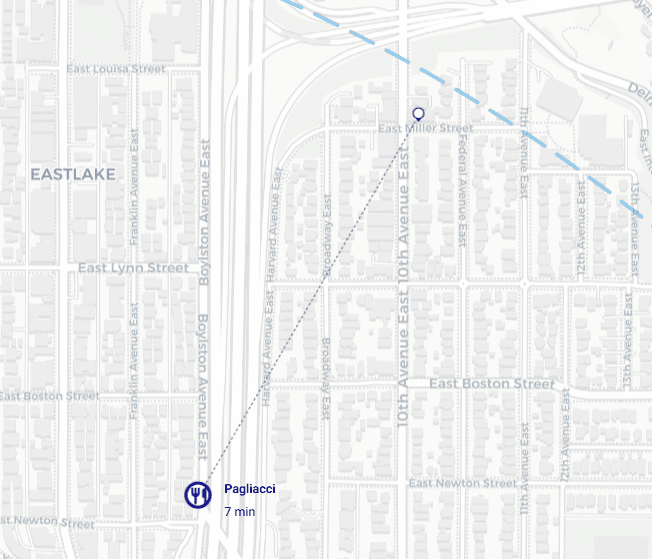
Investigating how users understood these icons!
Optimizing for comprehension
While we were primarily interested in which icons were the most immediately noticeable by users, I was also able to inadvertently able to get feedback and first impressions on our product (which was barely a demo at the time). Since users were given almost no background on how Traffigram's algorithm worked or what different elements represented, it was interesting to see how they interacted with and made sense of new technology.
These results were used to guide our team's decisions on how to present the POI's. Unfortunately, I cannot share much more about the research content or outcomes publicly.
MOBILE OPTIMIZATION
Creating an elegant mobile routing experience
As Traffigram was starting to extend its product to the public to help discover a true market fit, the team decided to demo our tool with a homebuyer application. We planned to roll this out to a large group of homeowners, buyers, and real estate professionals, but as we started sending it to initial users, it was brought to our attention that the mobile interface for our tool was... unoptimized, to say the least.
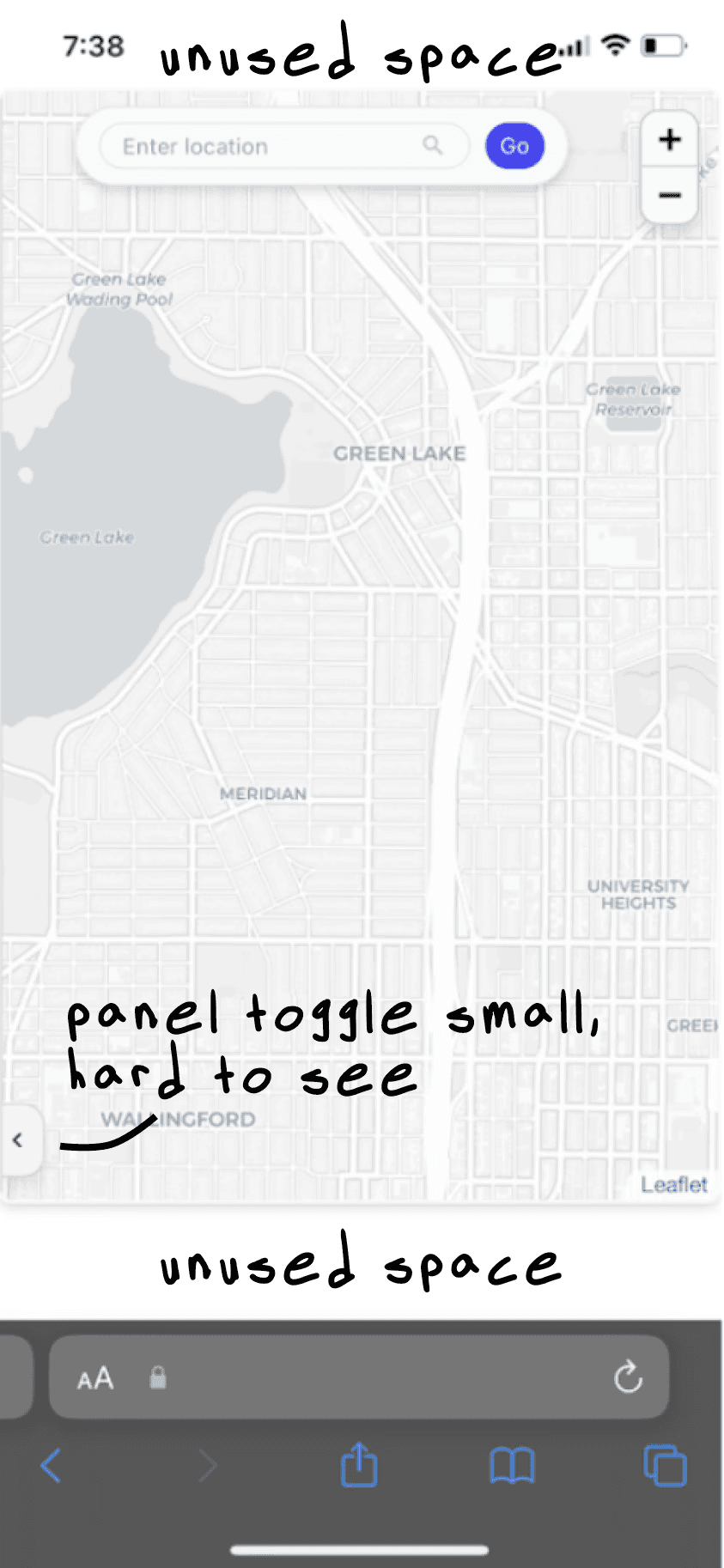
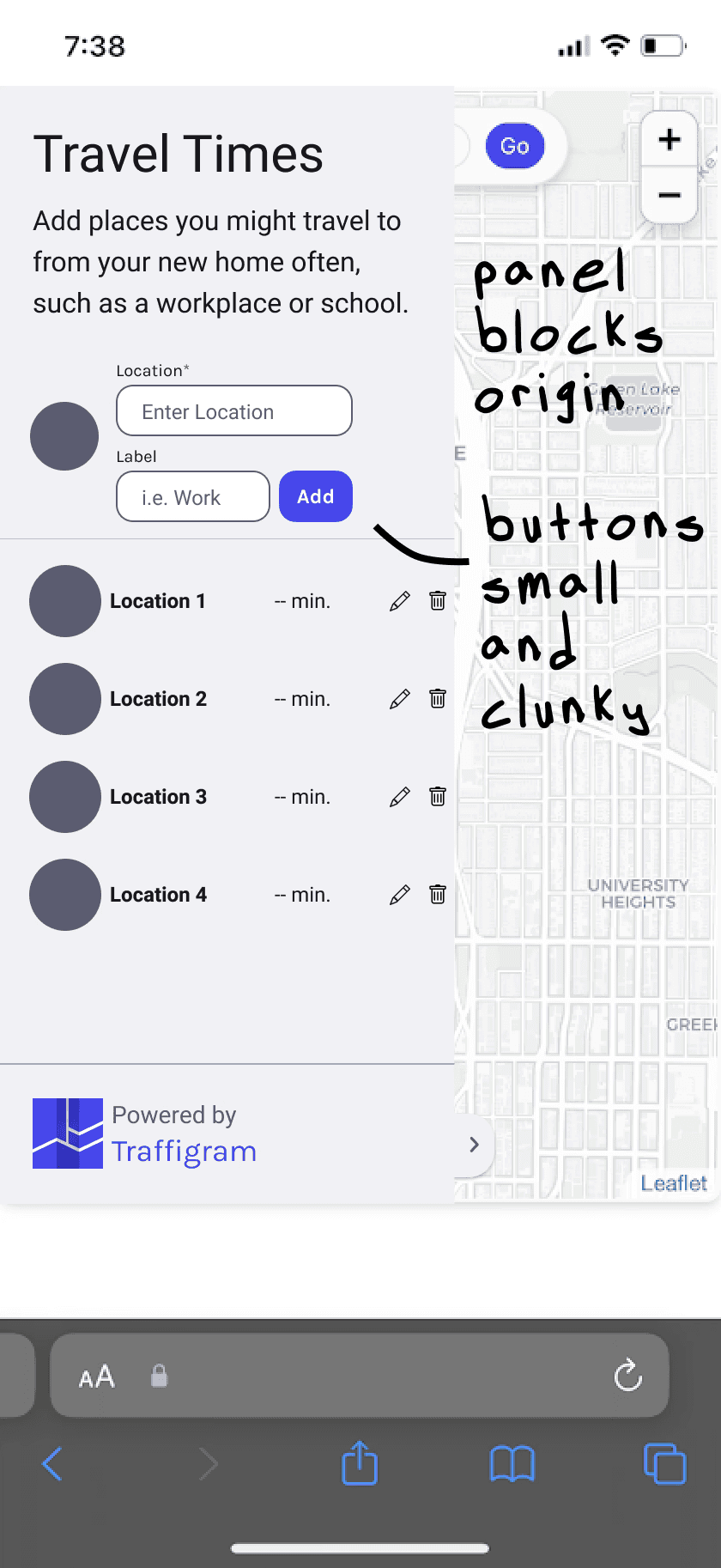
Users reported issues with inputting travel destinations, leading to a poor overall user experience. This was something that had completely gone over our heads. The team was hyper focused on ironing out all the bugs and features on desktop that we hadn't even bothered to check what our layout looked like on mobile!
Major pain points on mobile
After looking at some of the feedback from our early testers, I identified two main pain points in our mobile experience:
1
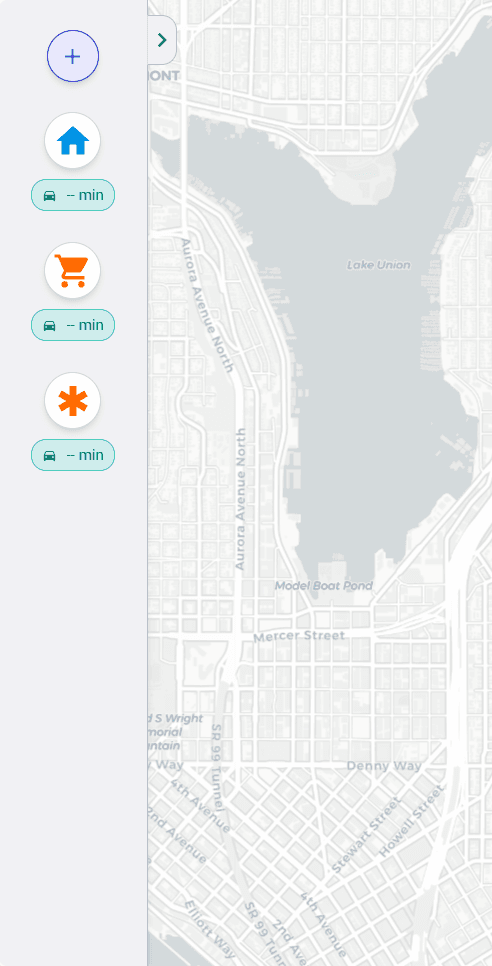
Layout on mobile is not properly optimized. There is additional unused space above and below the map that gives the tool an unprofessional appearance.
2
The horizontal layout is unintuitive to navigate. The toggle to expand/collapse the side panel is hard to see, and all of the buttons are too small to be easily accessed on a smaller mobile screen.
My initial redesign ideas…
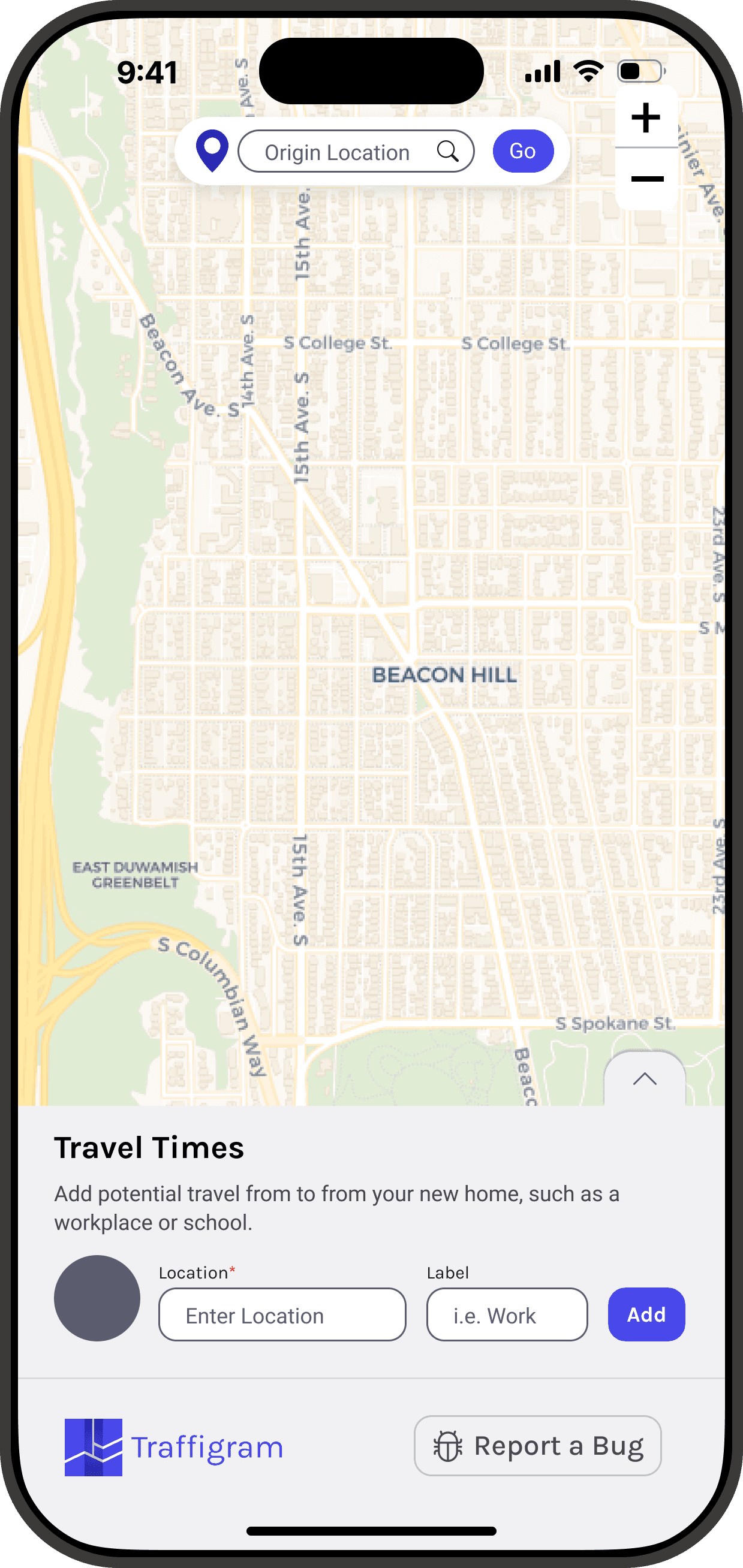
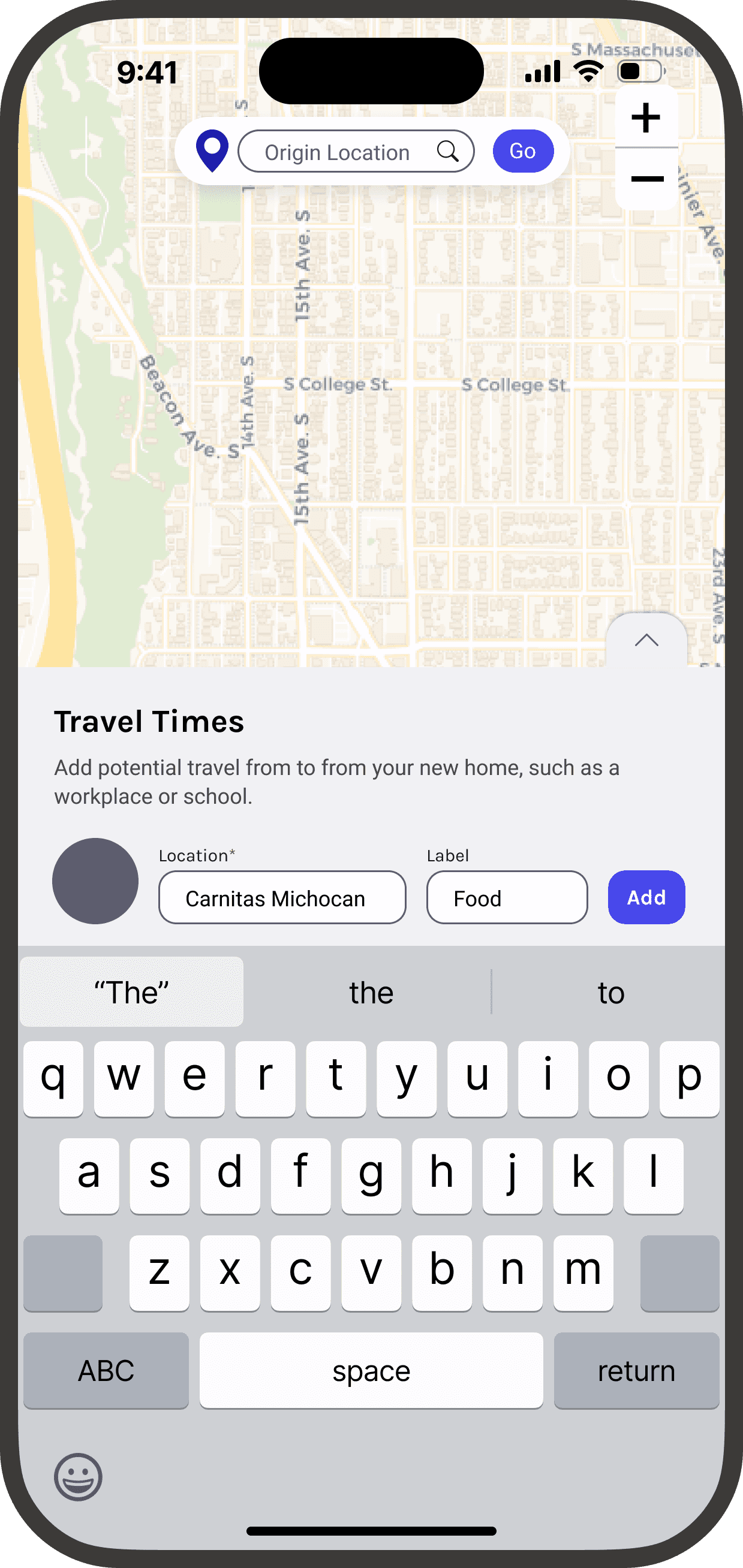
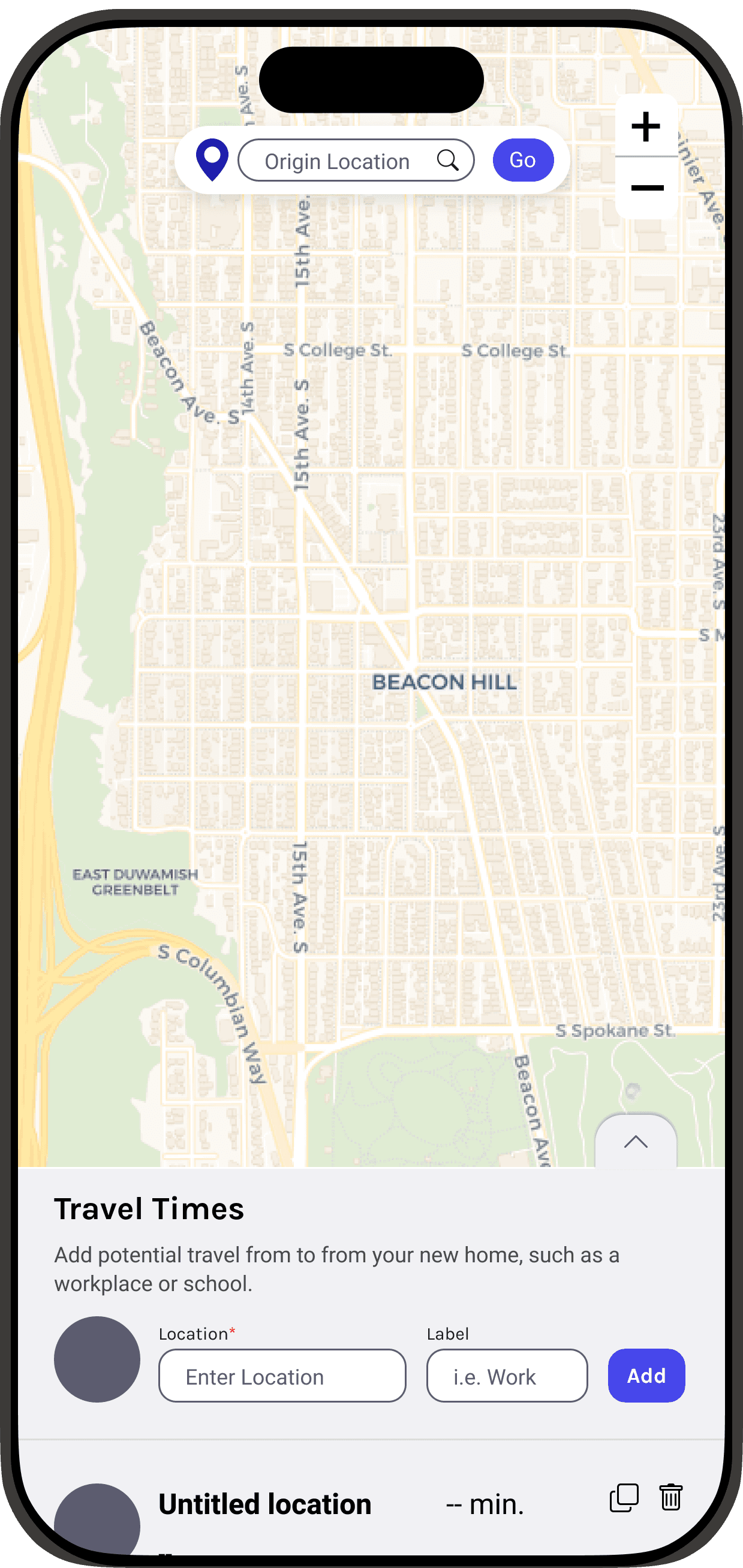
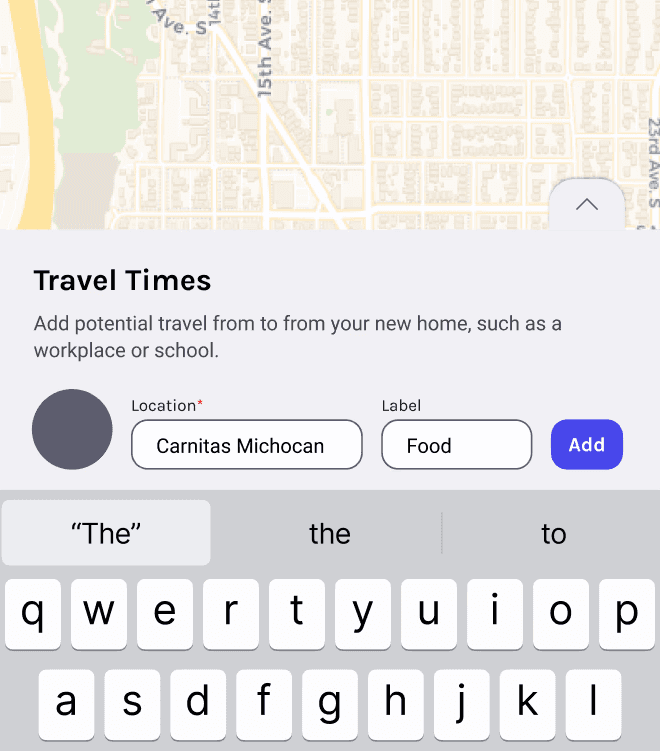
I started my redesign process by taking inspiration from other mobile mapping applications. I knew from the start that the default state of the panel should be visible to users, and it made most sense to position this below the map, making use of the vertical interface.
Redesigned the control panel for the bottom of the screen, making use of the vertical layout to make more space for the map
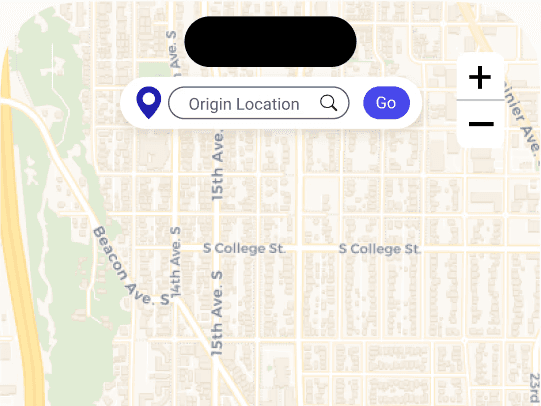
Increased map size to take up the entire screen, eliminating awkward white space.
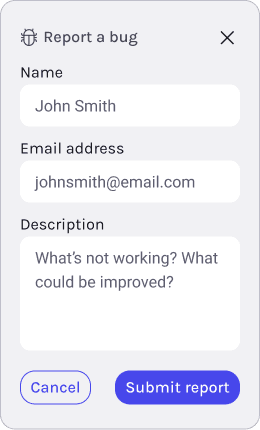
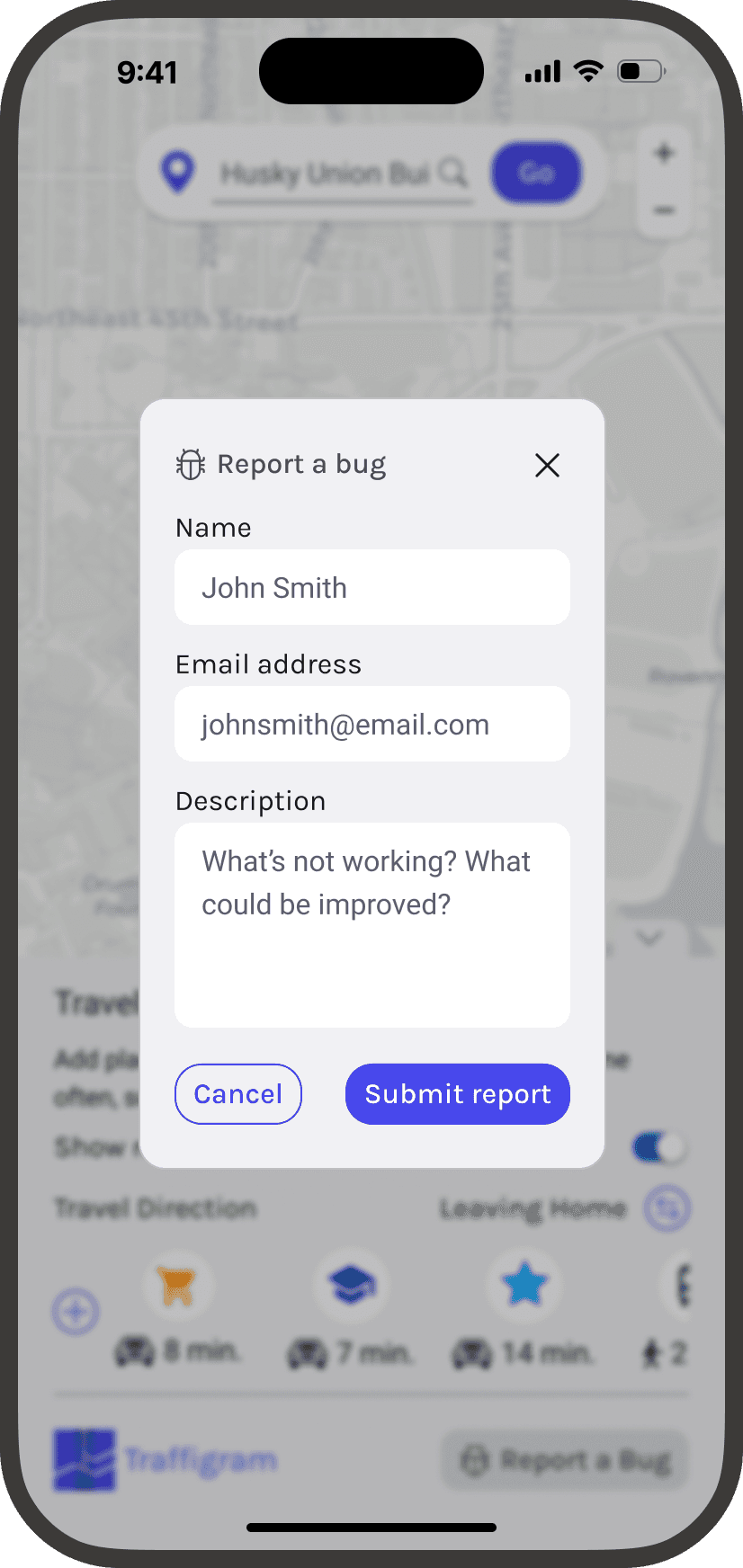
Worked with devs to implement a "Report Bug" feature to collect user feedback as we tested our product.
…fell flat
As I did some observation tests for this iteration, it was clear that there were still some areas of the user flow that needed improvement.
80%
of users still reported some level of frustration when navigating the interface, particularly finding locations after they added them.
After discussing my findings with my design lead, we brainstormed solutions to this pain point. We aimed to optimize our UI so users could view more POI's at a glance, reducing the need to scroll or parse through long walls of locations.
Final desgin
Taking our routing interface in a new direction
The final version of my design includes a cleaner menu to track each point of interest and a map that covers the entirety of the screen. Another small Quality of Life feature that I introduced was having our logo automatically redirect to our company’s website, which increased conversion and interaction with our products site.
Two major improvements to manage POI information
Horizontal frame for added POI's. 4th POI added peeks out to indicate scrolling. 70% of users indicated travel time as most important when differentiating between POI's, and pairing that with an icon allows our UI to be much more streamlined.
POI information moved to a separate modal. This gave users more space to work with when adding information in order to adequately address pain point 1.
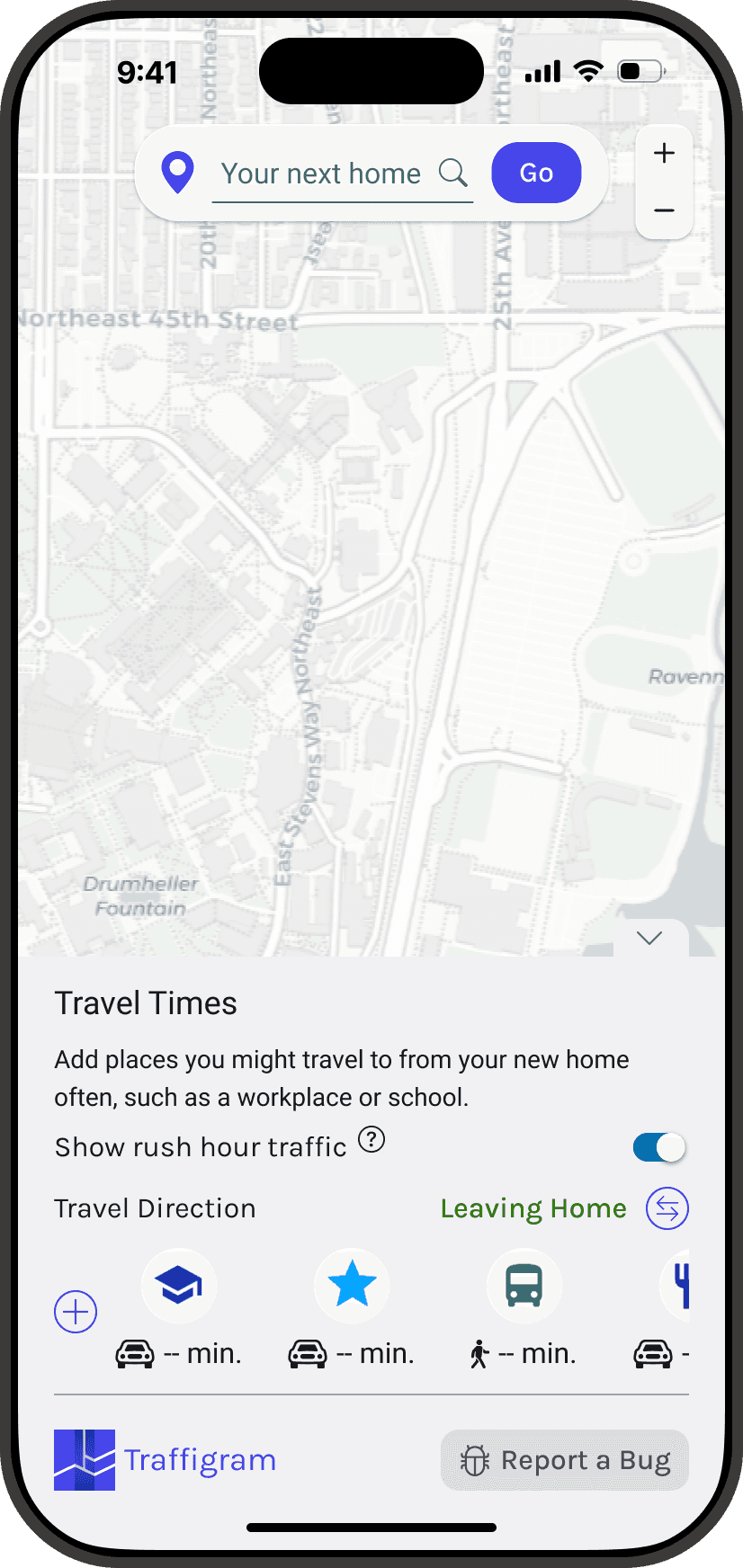
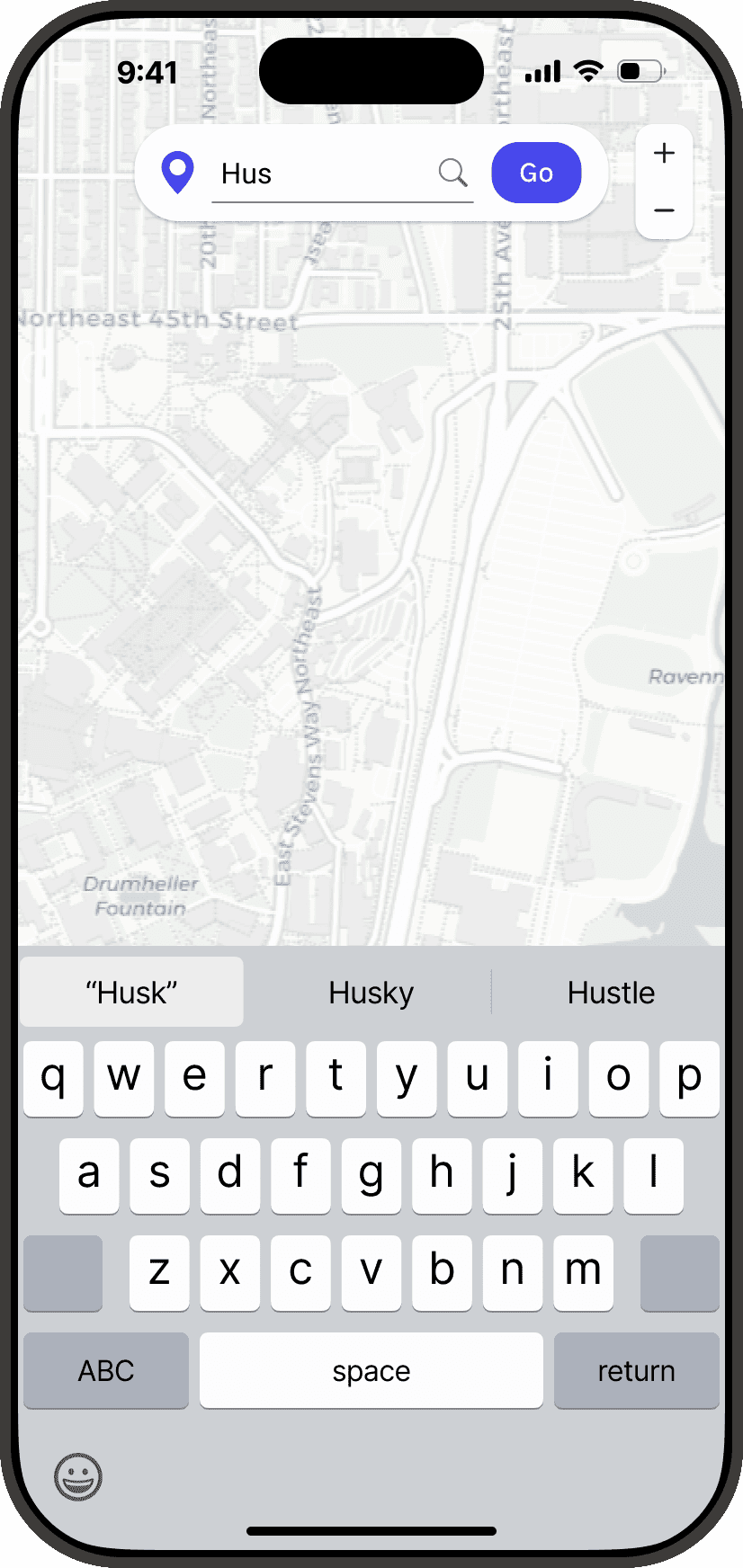
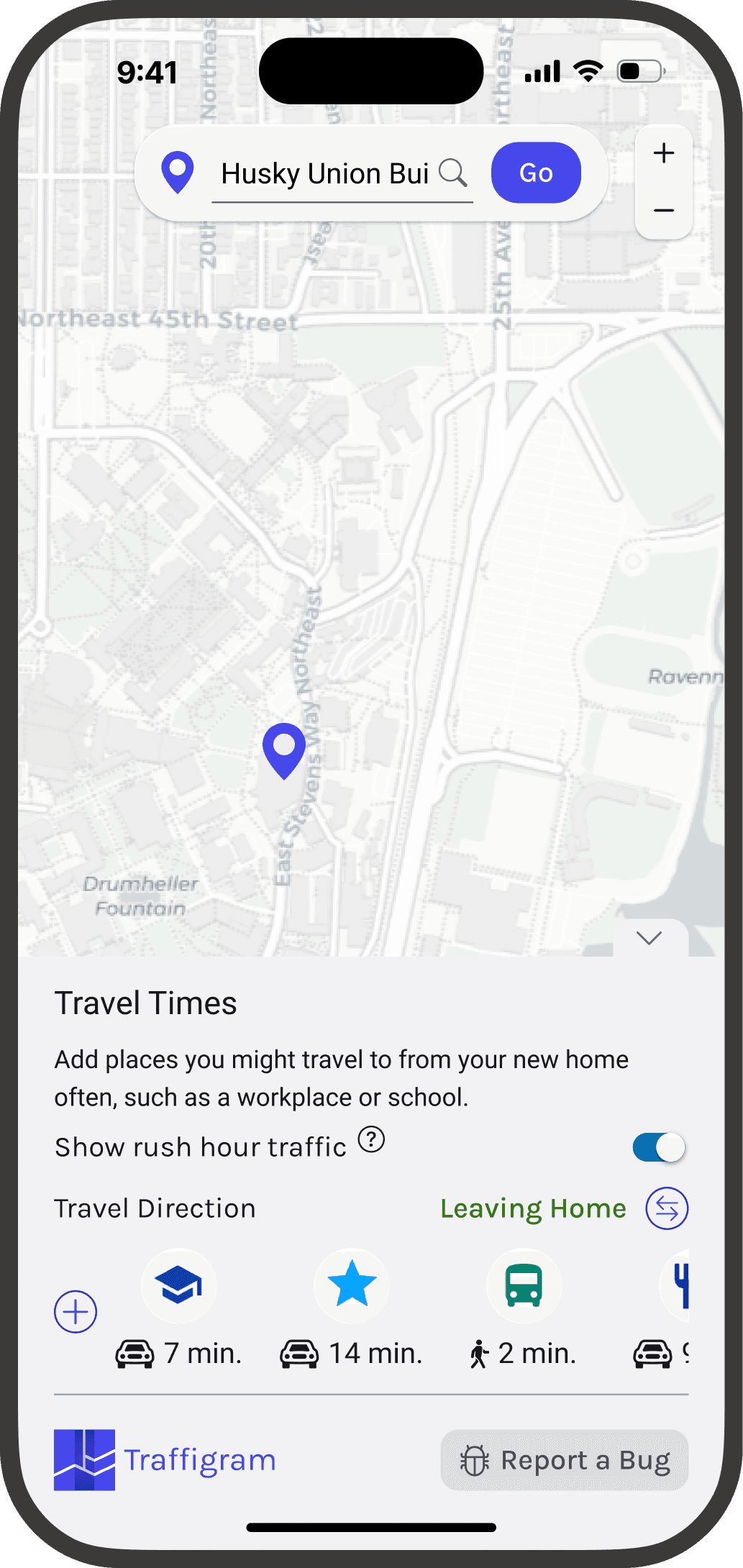
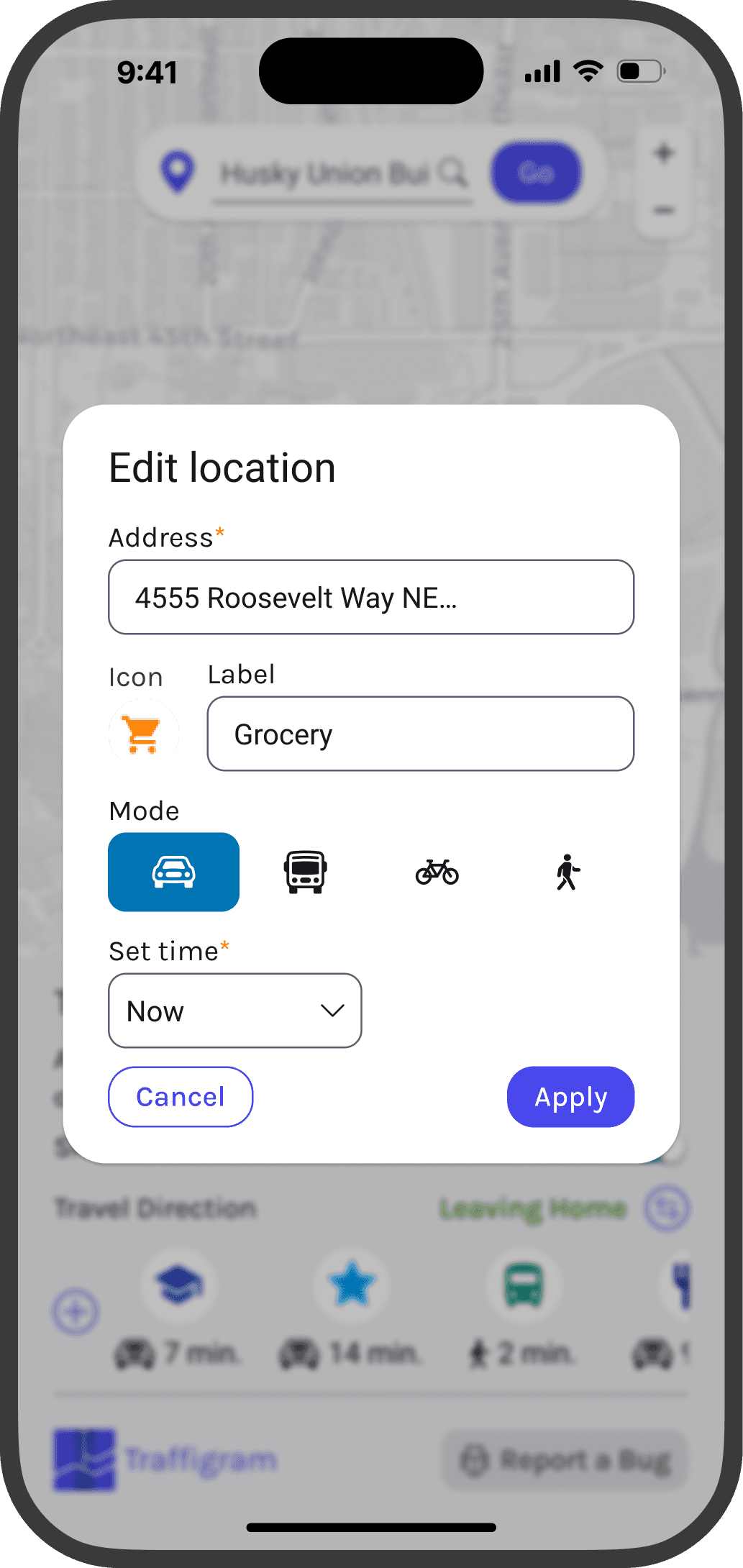
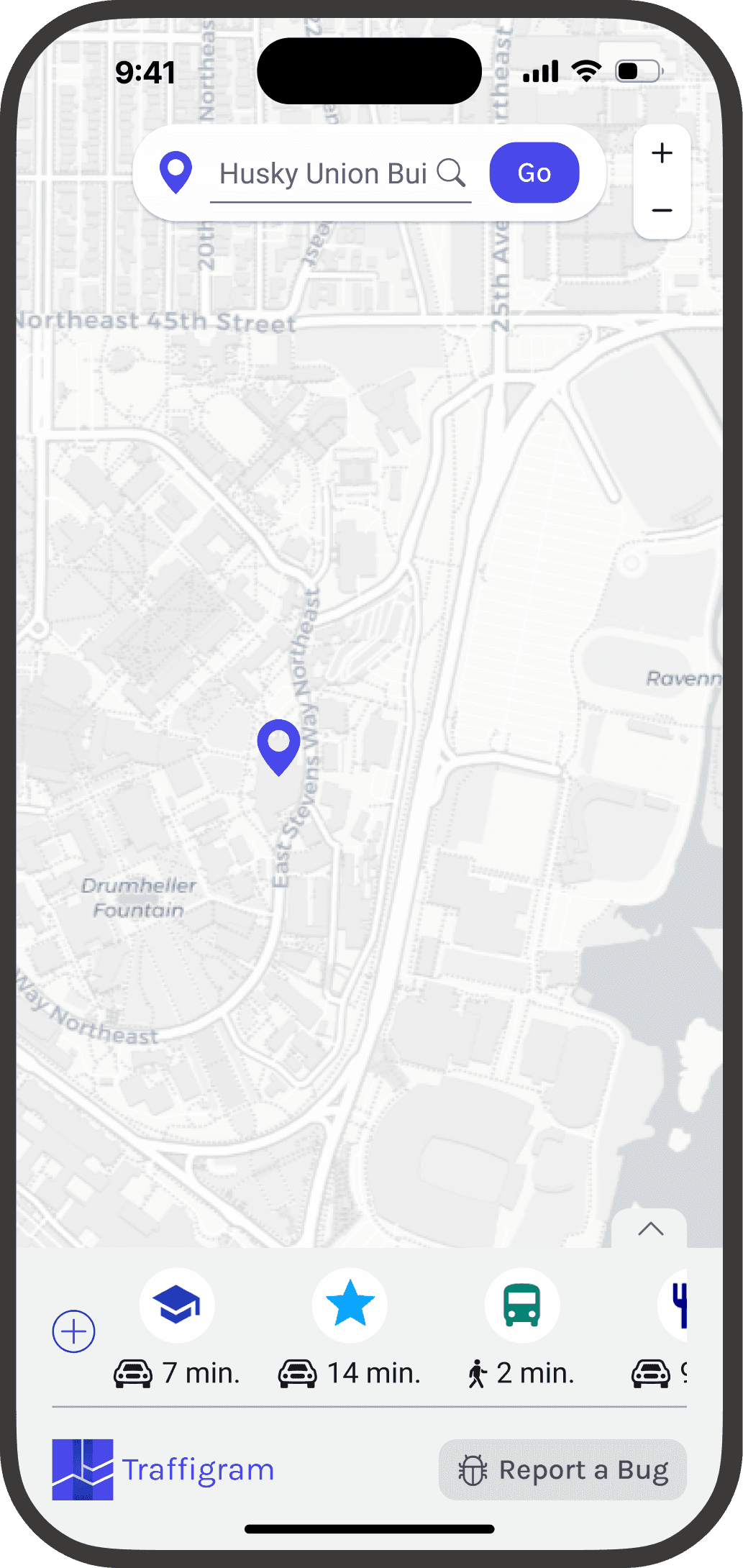
Add POI user flow
Outcomes
Enabling homebuyers to plan effectively
Before rolling out our homebuyer application for an open demo, I ran another round of usability testing to ensure that I smoothed out the mobile experience on Traffigram.
Our testers were overwhelmingly satisfied with these changes.
80% ⬇ 20%
decrease in user frustration!
Driving cross-functional design influence
In light of our findings for mobile users, Traffigram also adopted some UI changes for desktop to imrpove map visibility and routing.
REFLECTION
Jumping into the world of product design
Traffigram was my first official product design role, and I found it to be an amazing introductory experience. It was awesome to join a team of passionate designers, engineers, and scientists and sink my teeth into a fascinating part of Human Computer Interaction. However, all these experiences came with a lot of learning as well.
Too much freedom can be limiting
While it was amazing to work on such a novel piece of technology, I oftentimes found myself struggling on how to best display information as I designed. Since Traffigram is so novel, it was difficult finding existing designs to compare or take inspiration from. To be given this level of creative interpretation in my first design job was daunting, but my team encouraged me to be as innovative and outside of the box as I wanted.
Iteration is key
Things move fast in a startup, especially with a team as small as Traffigram’s. When I first started, I would get analysis paralysis, overthinking how I wanted to approach the problem without ever approaching it, Getting comfortable with brainstorming (no matter how out of the box it was), creating quick mockups and iterating with fast turnaround times was something I very quickly got used to. By focusing more on the functionality and usability of my designs, I was able to find the most optimal solution and then really fine-tune the details.